
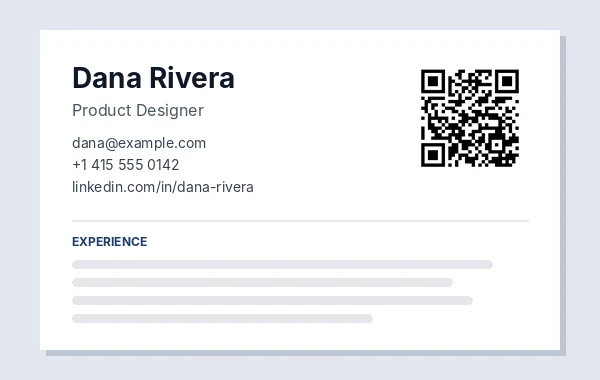
How to use LinkedIn QR Code
- 1Copy your profile link: on LinkedIn select Me, then View profile, and copy the address. Company pages work too.
- 2Paste it in the box, or type only the last part (for example dana-rivera) and the full link is filled in for you.
- 3Check the green note, then pick colours or add a logo and wait for Scan test passed.
- 4Download SVG for print or PNG for slides and documents, or open Print for a sign or sticker sheet.
- 5Scan the finished code with your phone once to check it opens the right profile.
Make your profile link short first
A new LinkedIn profile often has a link with random numbers at the end, such as linkedin.com/in/dana-rivera-8a41b2203. LinkedIn lets you change it: on your profile select Edit public profile & URL and set a custom address like linkedin.com/in/danarivera. A shorter link makes a smaller, cleaner code and is easier to type for anyone who cannot scan.
Do this before you print anything. If you change the link later, LinkedIn may not send the old one to your profile, and printed codes would stop working.
Why not use the LinkedIn app's own code?
The LinkedIn mobile app can show a personal QR code from the icon in its search bar, which is handy for scanning face to face. It is a picture on your phone screen, though. For anything printed, a code made here gives you an SVG file that stays sharp at any size, your own colours or logo, ready-made print layouts, a scan test, and a note telling you the smallest size that still scans.
Where to put it
- Business card back. A profile link code is small: about 1.5 cm (0.6 in) for a short custom link.
- Resume or CV. Near your contact details at 2 to 2.5 cm. Keep the link written out too, because many resumes are read on screen or by software.
- Conference badge or lanyard card. Sticker sheets print 4 cm codes that fit a badge.
- The last slide of a talk. Make it at least a fifth of the slide height so the back row can scan it.
- Email signature. A plain link is lighter there; use a small PNG only if you want the image.
On a resume: code, link or both?
Recruiters read resumes on paper, on screen and through applicant tracking software. A QR code only helps the paper reader; software ignores it and screen readers cannot click it. So keep your profile link written out as text next to your email and phone, and add the code beside it for printed copies. Put both at the top, keep the code small (2 to 2.5 cm) so it does not push your experience down the page, and use plain black so it prints well on any office printer.
What we tested
We tried a bare profile name, a company page and a long profile link with numbers at the end. The bare name dana-rivera was turned into https://www.linkedin.com/in/dana-rivera, all three were marked as LinkedIn links, and all three codes passed the scan test. The short profile link made a 29 x 29 square code that prints from 1.5 cm; the company page and the long profile link each needed 33 x 33 squares, 1.7 cm. A link to another site was still accepted, with an orange note.
Frequently asked questions
Is this LinkedIn QR code free?
Yes. No sign-up, no trial and no watermark. The code holds your profile link directly, so it never expires.
How do I find my LinkedIn profile link?
Select Me, then View profile, and copy the address from your browser. In the app, open your profile, tap the three dots and choose Share via.
Can I make a QR code for a LinkedIn company page?
Yes. Paste the company page link, such as linkedin.com/company/your-company.
Will the code still work if I change my LinkedIn URL?
It may not. Set your custom profile URL first, then make and print the code.
What size should it be on a resume?
About 2 to 2.5 cm (0.8 to 1 in) is enough. The size note under the code gives the smallest safe size.