How to use PDF to QR Code
- 1Upload your PDF to Google Drive, Dropbox or OneDrive, or to your own website.
- 2Share it so anyone with the link can view it, and copy the link.
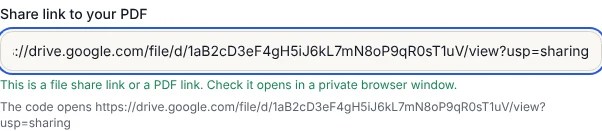
- 3Paste the link in the box. A green note confirms it is a file share link or a PDF link.
- 4Open the link in a private or incognito browser window to make sure it opens without signing in.
- 5Wait for Scan test passed, then download the code or open Print for a table card, sign or stickers.
Why a link, not the PDF itself
A QR code holds at most about 3 KB of text, while even a one-page PDF is usually 50 KB or more. So every PDF QR code, on any site, is really a link to a file stored somewhere. Some services store the file for you and give you a link through their own servers. That works until the trial ends or the subscription lapses, and then the printed codes stop opening anything.
Here you keep the file in your own Drive, Dropbox or website. The code holds that link directly, so it works for as long as the file is shared, with no account here and nothing to renew.
Sharing the PDF so anyone can open it
Google Drive: right-click the PDF, choose Share, set General access to Anyone with the link as Viewer, then Copy link.
Dropbox: choose Share on the file, then Copy link. Anyone with the link can view it without a Dropbox account.
OneDrive: choose Share, set the link so anyone can view, and copy it.
The most common mistake is leaving the file restricted. The code scans fine, but customers land on a sign-in page. Always test the link in a private window, where you are not signed in, before you print.
Updating the PDF without reprinting
Menus and price lists change. In Google Drive you can replace the file and keep the same link: right-click the PDF, open File information, choose Manage versions and upload the new PDF. Everyone who scans the printed code now sees the new version. If you delete the file and upload a new one instead, the link changes and the old codes stop working.
On your own website, the same idea applies: upload the new file with exactly the same name and address.
Menus, brochures and manuals
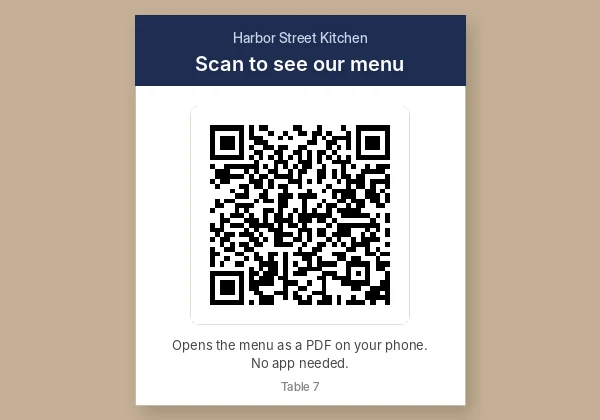
A restaurant puts the code on a table card with "Scan to see our menu". A shop or landlord prints it on a sign or flyer for a brochure, floor plan or house rules. Manufacturers and installers stick it on a device so the manual is always one scan away. For table cards, print the code 4 to 6 cm wide; on a wall sign, 10 cm or more.
Large PDFs open slowly on mobile data. If your file is over a few megabytes, shrink it with Compress PDF before you upload it.
Frequently asked questions
Can a QR code contain a PDF file directly?
No. A QR code holds only a few kilobytes of text, so it holds a link to the PDF instead. The PDF has to be stored online, for example in Google Drive.
Is it free, and does it expire?
It is free with no sign-up. The code holds your share link directly, so it never expires. It stops working only if you delete the file or stop sharing it.
Why do people see a sign-in page when they scan it?
The file is not shared publicly. Change the sharing setting to anyone with the link can view, then test the link in a private browser window.
Can I change the PDF after printing the QR code?
Yes, with Google Drive's Manage versions, which replaces the file and keeps the same link. Deleting and re-uploading creates a new link.
Which is better for a PDF menu: Drive, Dropbox or my own website?
Your own website gives the shortest link and the cleanest look. Google Drive is the easiest to update without reprinting. All three work with any phone.