
How to use YouTube QR Code
- 1Copy the link with Share under the video, or from your browser's address bar. Channels can use just the @handle.
- 2Paste it in the box. A green note confirms it is a YouTube link.
- 3Optional: add ?t=90 to start a video at 1:30, or ?sub_confirmation=1 to a channel link to show the subscribe prompt.
- 4Pick colours or add a logo, wait for Scan test passed, then download SVG or PNG.
- 5Scan the printed code once to check it opens the right video.
Link to the right thing
| You want people to | Paste |
|---|---|
| Watch one video | The Share link, youtu.be/VIDEO_ID |
| Start at a certain moment | Add ?t=90 (seconds), for example youtu.be/VIDEO_ID?t=90 |
| Watch a Short | youtube.com/shorts/VIDEO_ID |
| Watch a series in order | The playlist link, youtube.com/playlist?list=... |
| Find your channel | Your handle, @yourchannel |
| Subscribe | youtube.com/@yourchannel?sub_confirmation=1, which opens a subscribe prompt |
Use the Share button's short link where you can. Shorter links make smaller codes: in our test a video link was 29 x 29 squares while a long playlist link was 37 x 37.
Where YouTube codes work well
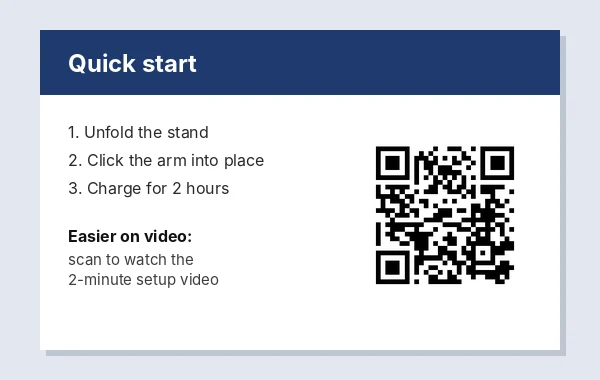
- Product packaging and manuals: a setup or assembly video beats a page of diagrams.
- Restaurant menus and recipe cards: show how a dish is made.
- Class worksheets and handouts: link the lesson video so students can rewatch it at home.
- Event posters and flyers: a trailer or last year's highlights.
- Business cards for creators: a subscribe link on the back.
A video link keeps working when the video changes title
A video's link is based on its ID, not its title or thumbnail, so you can rename it or change the thumbnail without breaking printed codes. The code stops working only if the video is deleted or set to private. Unlisted videos still open for anyone with the link, which makes them a good choice for printed instructions you do not want in search results.
If you might replace the video later, link to a playlist or your channel instead; you can change what is in the playlist without reprinting.
What we tested
We made codes for a short video link with a start time, a bare @handle, a channel link with the subscribe prompt, and a playlist. The @handle became https://www.youtube.com/@handle, all four were recognised as YouTube links, and all four passed the scan test. Sizes ranged from 29 x 29 squares (1.5 cm) for the video and handle, through 33 x 33 (1.7 cm) for the subscribe link, to 37 x 37 (1.8 cm) for the playlist.
Remove the ?si= part before you make the code
When you copy a link with YouTube's Share button, it usually ends in something like ?si=3fJk9QwErTy5UiOp. That is a share identifier YouTube adds to the link. The video opens the same without it, but those extra characters make the code denser.
We measured it with our own generator. The plain link https://youtu.be/Xq7Rk2LmP9a (28 characters) gave a 29 x 29 code with a 1.5 cm minimum print size. The same link with the ?si= part (48 characters) jumped to 33 x 33 and 1.7 cm. A full watch link with a playlist and position in it (91 characters) needed 41 x 41 and 2.0 cm. A Shorts link and a short link with ?t=95 stayed at 29 x 29. Delete everything from ?si= onward, keep ?t= if you want a start time, and the printed code gets simpler squares that scan faster from further away.
How big to print it
A good rule is that the code should be about one tenth as wide as the distance people scan it from, plus a clear white margin of at least four squares on every side.
| Where it goes | Scanned from | Print width |
|---|---|---|
| Back of a business card | 20 to 25 cm | 2 to 2.5 cm |
| Product box or manual | 30 cm | 3 cm |
| Flyer, menu or worksheet | 30 to 40 cm | 3 to 4 cm |
| Poster on a wall | 2 m | 20 cm |
| Shop window from the pavement | 3 m | 30 cm |
Dense codes, such as a long playlist link, need the top of each range. Download SVG for anything larger than a postcard, since it stays sharp at any size.
Check these before a print run
- Visibility: the video must be Public or Unlisted. A Private video shows an error to everyone who scans.
- Age limits and regions: age-restricted videos ask viewers to sign in, and region-blocked videos do not play in some countries. Pick a different video for packaging that ships abroad.
- Two phones: scan the code with an iPhone camera and an Android camera before printing hundreds of copies.
- The real surface: glossy lamination and curved bottles can reflect light across the code. Scan a test print in the lighting where it will hang.
Seeing how many people scanned
The code itself sends people straight to YouTube and records nothing, which also means nothing personal is collected. In YouTube Studio, views from printed codes usually appear under the traffic source Direct or unknown, because there is no referring website. To count scans from one flyer, upload an unlisted copy of the video just for that flyer and link the code to it: that copy's view count is close to the number of scans.
Frequently asked questions
Is this YouTube QR code generator free?
Yes. No sign-up, no trial and no watermark, and the code never expires because the link is stored in the code itself.
Will it open in the YouTube app?
On most phones with the YouTube app installed, yes. Otherwise it opens in the browser.
Can the QR code start the video at a specific time?
Yes. Add ?t= and the number of seconds to the share link, for example youtu.be/VIDEO_ID?t=90 starts at 1:30.
How do I make a QR code to subscribe to my channel?
Use your channel link with ?sub_confirmation=1 at the end. Scanning it opens a subscribe prompt.
What happens if I delete the video?
The code will open YouTube's video unavailable page. Link to a playlist or your channel if the video may change.
Why is my QR code more detailed than expected?
The link is probably long. Links copied with the Share button end in ?si= followed by a code, and watch links can carry playlist details. Remove the ?si= part and anything you do not need, and the code drops back to the simplest size.