How to use Text to Speech
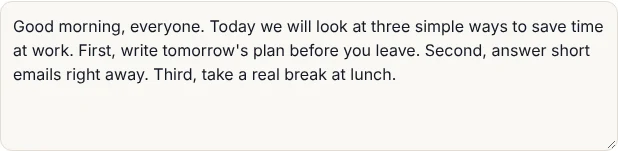
- 1Paste or type your text, up to 5,000 characters at a time.
- 2Pick Natural voice for English audio you can download, or Device voice for other languages.
- 3Press Hear on Heart, Bella or Emma to choose a voice, and set the speed.
- 4Press Create audio. The first time, the voice downloads once (about 100 MB), then it starts in seconds.
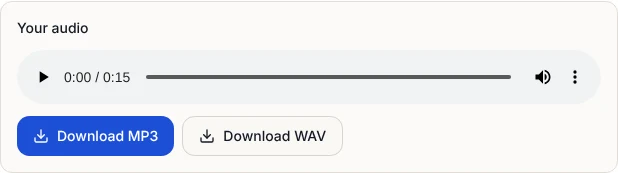
- 5Listen, then download MP3 or WAV.
Natural voice or device voice?
Natural voice uses a small neural speech model called Kokoro that runs inside your browser. It reads English with natural rhythm and pauses, and gives you an audio file you can keep. There are three voices: Heart and Bella with American accents, and Emma with a British accent.
Device voice uses the voices already built into your phone or computer, such as the ones Windows, macOS, iPhone and Android use for reading aloud. It works in any language your device has, including Korean, and plays instantly. The voices play through your speakers only, so they cannot be saved as a file.
| Natural voice | Device voice | |
|---|---|---|
| Languages | English | Any your device has, including Korean |
| Download MP3 or WAV | Yes | No |
| Starts | After a one-time download | Instantly |
| Sound | Natural, human-like | Depends on your device |
How long it takes
The first time you press Create audio, your browser downloads the voice model, about 100 MB, and saves it. On a typical home connection that takes under a minute. After that the voice opens from your browser's storage in a few seconds.
Making the audio happens on your own device, sentence by sentence, with a progress bar and a time estimate. In our test, a 40-word paragraph became 16 seconds of speech in about 45 seconds on an ordinary laptop processor. Computers with a recent graphics card are faster, because the voice can use it. For long text, start with a paragraph to check the voice and speed, then do the rest.
Downloading MP3 or WAV
When the audio is ready it plays straight away. Download MP3 saves a 128 kbps file that works everywhere: video editors, slides, phones and messaging apps. One minute of speech is about 1 MB. Download WAV saves uncompressed audio at 24 kHz, useful if you will edit it further. Our test files opened in standard audio players and editors without trouble.
Need to tidy it up? Trim silence at the start or end with the Audio Cutter, or make it louder with the Volume Booster.
Getting the best reading
- Use full sentences and punctuation. The voice pauses at full stops and commas, so a comma is the easiest way to add a short breath.
- Spell out what should be said. Write "three quarters" rather than 3/4, and "Doctor Lee" rather than Dr. Lee, if the reading matters.
- Remove clutter from copied text. Page numbers, headers and broken line endings from PDFs get read aloud too.
- Try the speed slider. 0.9x suits training videos and learners; 1.1x to 1.2x suits quick reviews.
Privacy: your text stays with you
Your text is never sent to a server. The natural voice model downloads once as a fixed file, and from then on it reads your words entirely inside your browser. Device voices use the speech engine built into your phone or computer. We do not keep your text or audio; clearing the box or closing the page removes them.
That makes it safe for drafts, scripts, internal notes and anything you would rather not paste into an online service.
Device voices: adding more languages
If Device voice shows no voices or no voice in your language, add one in your device settings. On Windows, go to Settings, Time and language, Speech, and add a voice. On a Mac, open System Settings, Accessibility, Spoken Content, and choose System voice to download more. On iPhone, go to Settings, Accessibility, Spoken Content, Voices. On Android, look under Settings for Text-to-speech output. Then press Refresh on this page.
Frequently asked questions
Is this text to speech really free?
Yes. No sign-up, no trial, no watermark and no daily word limit. Each run takes up to 5,000 characters; for longer text, do it in parts.
Can I download the audio as MP3?
Yes, with the natural voice. After the audio is made, press Download MP3 or Download WAV. Device voices cannot be saved as files.
Does it read Korean?
Yes, with Device voice, if your phone or computer has a Korean voice installed (most do). The natural voice reads English only.
Can I use the audio in my YouTube videos?
The natural voice model is released under the Apache 2.0 license, which allows commercial use. You are responsible for the text you have read aloud.
Why is the first time slow?
The voice model, about 100 MB, downloads once and is saved in your browser. After that it starts in a few seconds.
Does it work on a phone?
Device voice works on any modern phone. The natural voice needs a lot of memory, so on a phone keep each run to a paragraph or two.