How to use Voice Changer
- 1Tap the microphone and say a sentence or two, or open an audio or video file.
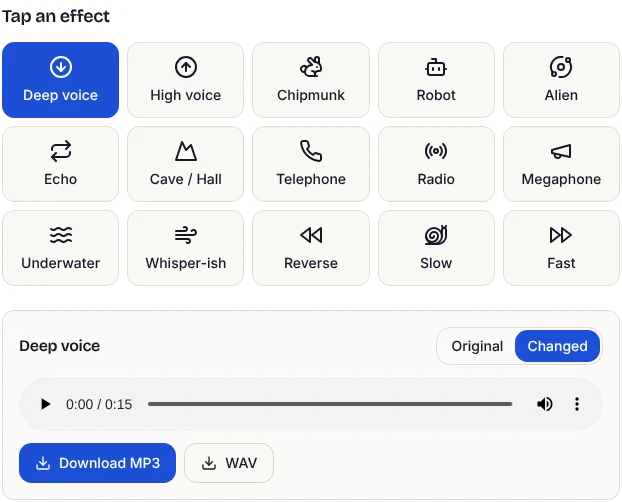
- 2Tap an effect, such as Deep voice, Chipmunk or Robot. It plays as soon as it is ready.
- 3Use Original and Changed to compare the two.
- 4Open Fine-tune to set your own pitch, speed, echo, bass and treble.
- 5Download MP3 or WAV, or for a video, download it with the new voice.
The 15 effects
- Deep voice, High voice, Chipmunk: move the pitch down or up without changing speed. Deep voice is 5 semitones lower with a little extra bass; Chipmunk is 10 semitones higher.
- Robot and Alien: a metallic ring effect, with a pitch lift and a short echo for Alien.
- Telephone, Radio, Megaphone: cut the low and high end and add a little grit, like sound through a small speaker.
- Echo and Cave / Hall: repeats and room reflections.
- Underwater and Whisper-ish: muffled and airy filters.
- Reverse, Slow, Fast: play backwards, or change speed while keeping the same pitch.
Pitch and speed, kept separate
Many simple voice changers make a voice higher by playing it faster, so a chipmunk voice also races along. Here pitch and speed are independent. The tool first stretches the sound in time, choosing each small slice so its waveform lines up with the one before, then resamples it to the new pitch. That keeps speech smooth instead of warbly.
We measured it on a 16-second speech clip. Its average pitch was 181 Hz; Deep voice brought it to 135 Hz and High voice to 238 Hz, matching the 5-semitone target within 2%. Slow and Fast changed the length to 21 and 12 seconds while the pitch stayed at about 179 Hz.
How fast it is
Every effect is worked out on your own device, without uploading anything. A short recording changes almost instantly: in our test a 5-second microphone clip came back with the Robot effect in under half a second, and a 16-second clip was processed in well under a second. Recordings up to 3 minutes are changed in full on every tap. For longer files you hear a 15-second preview first, then press Apply to the whole recording. Files up to 30 minutes work: in our test a 10-minute recording took about 5 seconds to change and 25 seconds to save as MP3.
Saving audio and video
Download MP3 gives a file for messaging apps, video editors and social posts. WAV is uncompressed, for further editing. If you opened a video (MP4, MOV or WebM), you can also download the video with its voice replaced, ready to post. Keep Speed at 1.00 for video so the voice stays in sync with the picture.
To trim the start or end afterwards, use the Audio Cutter.
Tips for a better result
- Record close to the mic in a quiet room. Effects make background noise stand out.
- Big pitch jumps sound more artificial. For a believable deeper or higher voice, open Fine-tune and try 2 to 4 semitones.
- Stack effects in Fine-tune. Lower the pitch and add reverb for a movie-trailer voice, or raise it and add echo for a cartoon.
- Use headphones when comparing, so you hear small differences.
Can it hide who is speaking?
Changing pitch makes a voice harder to recognise by ear, which is often enough for a fun clip. It is not a guarantee of anonymity: a simple pitch change can sometimes be partly reversed, and the way someone speaks, their words and background sounds can still identify them. If anonymity really matters, combine a pitch change with other effects, keep the recording short, and check what is said in it.
Frequently asked questions
Is this voice changer free?
Yes. No sign-up, no watermark and no limit on how many recordings you change.
Are my recordings uploaded?
No. Recording, effects and saving all happen in your browser. Nothing is sent to a server.
Can I change my voice in a video?
Yes. Open an MP4, MOV or WebM video, pick an effect, and download the video with the new voice. Keep the speed at 1.00.
Does it work live during a call or game?
No. It changes recordings, not your live microphone. Record first, then apply the effect.
Which files can I open?
MP3, WAV, M4A, OGG, FLAC, MP4, MOV and WebM, up to 30 minutes. If a file will not open, convert it to MP3 first with one of our audio converters.