Spreadsheets & data
What is a .xlsx file?
Excel workbook
A spreadsheet file that can hold several worksheets, formulas and charts.
Official sources checked
What it is and where it appears
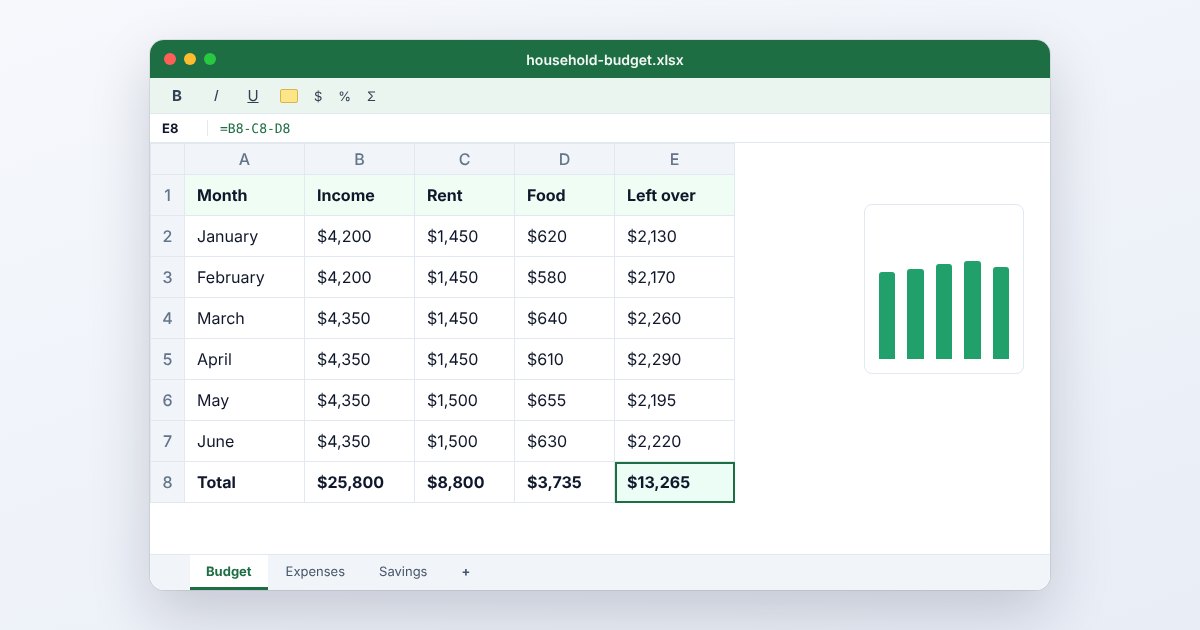
An XLSX is an Excel workbook in the Office Open XML family. It can contain several worksheets, cell values, formulas, charts and formatting inside a structured package. Budget models, schedules and exported business reports commonly arrive this way because the author wants the recipient to keep working with the spreadsheet rather than simply read a printed table.
The distinction between a value and a formula matters. A cell can display a total while retaining the calculation that produced it; other cells may depend on that result. A compatible viewer may show the stored values without supporting every connection or calculation feature. XLSX also differs from XLSM: the standard XLSX format does not store VBA macro code.
How to open .xlsx files
Windows
In Microsoft Excel, choose File > Open and select the workbook. If a downloaded file opens in Protected View, inspect its source before enabling editing. Check worksheet tabs and formula results, not just the first visible sheet.
Mac
Excel for Mac opens XLSX directly. Apple Numbers also imports Excel workbooks, but review any conversion warnings and compare complex charts or formulas with the sender's version. Keep the original XLSX when experimenting with a different spreadsheet application.
iPhone
Open the file in Excel for iPhone, or use Numbers > Browse and tap it. Microsoft documents mobile feature differences: viewing a worksheet does not mean every desktop feature, external data connection or editing operation is available on the phone.
Android
Use Microsoft Excel for Android and choose the downloaded workbook from its Open screen. Google Sheets is another documented XLSX-capable app. Before sending an edited copy back, confirm it remains the requested file type and includes every worksheet.
Browser
Upload to OneDrive and open with Excel for the web, or use Google Drive's Open with > Google Sheets workflow. Google supports editing Office files in their original format as well as converting them; choose deliberately rather than assuming both produce identical files.
When to convert it and what changes
Export CSV when another system needs one plain table. Excel's CSV export stores the active sheet's displayed values and loses workbook styling, charts and other sheets. Save the XLSX master first, then export each table separately. If an import requires literal identifiers, inspect the CSV for leading zeros and scientific notation.
Use PDF for a report that needs predictable reading and printing. Review print area, scaling, repeating headings and page breaks before export; a wide worksheet can otherwise become tiny or spread over many pages. PDF preserves a chosen view, not the underlying formulas. Recipients who must change assumptions or inspect calculations need the workbook.
Three common problems and fixes
Excel: “file format or file extension is not valid”
Confirm the file was really exported as XLSX and download it again. A renamed CSV is not a workbook. For a damaged workbook from a trusted source, try File > Open > Browse, select it, then the Open arrow > Open and Repair.
Cells display #####
Widen the affected column first. Excel can show hashes when a numeric or date value does not fit; negative date/time values can also trigger them. Inspect the cell value and date formula before assuming the workbook has lost its data.
A formula displays #REF!
A referenced cell or range is no longer valid, often after deletion. Undo the change if possible or correct the formula's references using the original workbook. Exporting to PDF only records the error; it does not repair the calculation.
.xlsx and related formats
| Format | Useful for | Main tradeoff |
|---|---|---|
| XLSX | Working models and multiple worksheets | Reader must support the used features |
| CSV | One table for imports | Drops formulas as calculations and styling |
| XLSM | Workbooks containing VBA macros | Requires macro-aware security and software |
Frequently asked questions
Can XLSX contain macros?
VBA macros require a macro-enabled workbook format such as XLSM. If an existing macro workbook must keep its code, do not save over the only copy as XLSX.
Can I open XLSX without buying Excel?
Numbers and Google Sheets offer compatible opening workflows. Compatibility is feature-dependent, so check complex workbooks against a known-good version rather than assuming a successful open proves everything is preserved.
Why are my other sheets missing from CSV?
CSV represents a single table. Go back to the XLSX and export the additional sheets individually; the extra worksheets cannot be recovered from a CSV that never contained them.
Will a PDF show my formulas?
Normally a PDF shows the worksheet as rendered, including displayed results. If you need the formula expressions visible, choose the appropriate worksheet display before printing; keep XLSX for actual recalculation.