Archives
What is a .7z file?
7-Zip archive
A compressed archive that can bundle folders and support password protection.
Official sources checked
What it is and where it appears
A .7z file is a compressed package made in the 7-Zip format. It can hold a directory of documents, an application distribution or a backup in a single container. The compression is lossless: extracting a healthy archive recovers the stored file bytes rather than creating lower-quality pictures or videos. The extension identifies the wrapper, not what is inside it.
You may receive 7z instead of ZIP because its creator wanted LZMA/LZMA2 compression, solid compression across related files, or AES-256 encryption. Those are options, not promises about every archive. A solid archive can trade convenient random access for better compression. Password protection can also cover filenames, so one archive may show a file list while another asks for a password before showing anything.
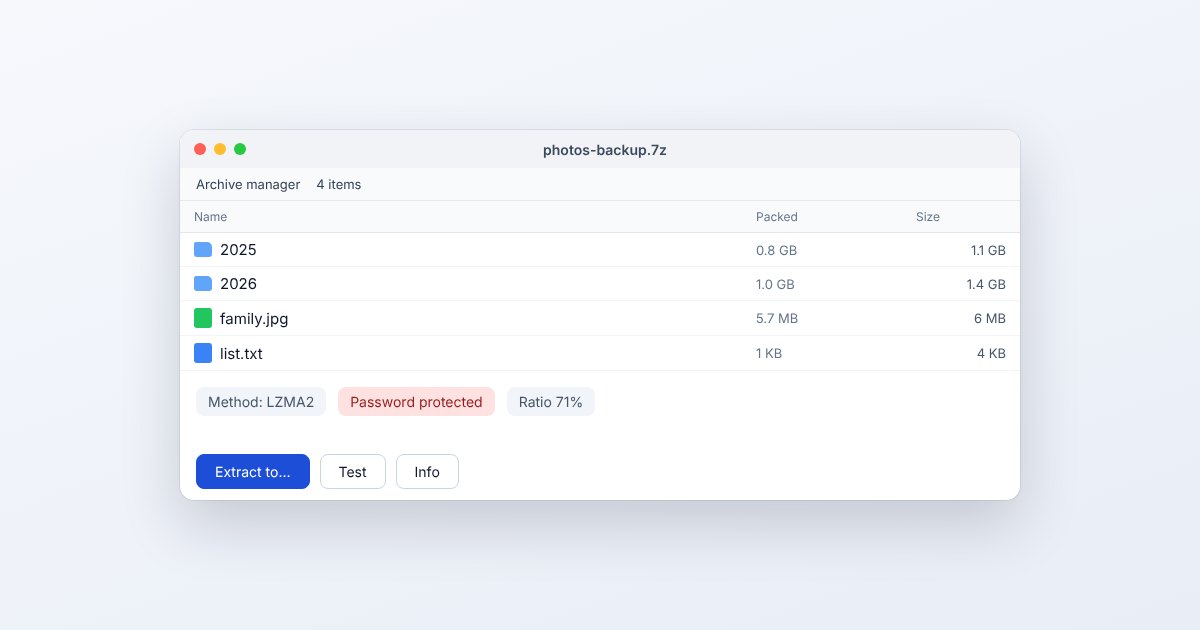
How to open .7z files
Windows
Install 7-Zip from its publisher, open 7-Zip File Manager, select the archive and choose Extract. Pick an empty destination folder. Windows 11 version 24H2 also supports unencrypted 7z archives in File Explorer; use 7-Zip when encryption is involved.
Mac
The official 7-Zip download for macOS is a console program, not the Windows graphical interface. In Terminal, run its 7zz executable with x and the archive path, for example 7zz x backup.7z, from the intended destination folder.
iPhone
Apple's documented Files workflow is for ZIP. For a small ordinary 7z, open UtilityNest's Extract 7z page in Safari and select the download through the file picker. For encrypted or multipart material that fails there, use desktop 7-Zip.
Android
Do not assume Files by Google will unpack this extension: its extraction guide specifies ZIP only. Use the browser extractor for a manageable single archive, or transfer the file to a computer with 7-Zip when phone memory is insufficient.
Browser
Choose Extract a 7z archive below, select the actual .7z and inspect the listed contents before downloading them. A browser is not a universal replacement for the desktop app; large dictionaries, encryption and split volumes can need a different workflow.
When to convert it and what changes
Convert the package to ZIP when a recipient needs a format their existing file manager can extract. First extract the 7z successfully, then create the ZIP from that output folder. This repackaging does not recompress a JPEG or change a Word document's contents. It can change archive size, encryption and archive-specific attributes.
Keep the original until you have compared the extracted folder with the expected contents. A newly created ZIP does not automatically inherit the old password or encrypted filenames. If this is a backup with filesystem permissions or symbolic links, check those properties on the destination operating system instead of checking filenames alone.
Three common problems and fixes
7-Zip: “Can not open file” / “as archive”
The headers could not be read. Download the archive again and confirm it is complete; for a split set, obtain every numbered part and start with the first. Renaming a later part to .7z does not rebuild the missing headers.
7-Zip: “Data Error”
The archive opened but a data block could not be decoded. Try the current 7-Zip release, confirm the password if encrypted, and request another copy if the failure persists. Do not treat a partly extracted folder as a complete backup.
7-Zip: “CRC Error”
An integrity check failed on extracted data. Run Test in 7-Zip and replace the damaged download or restore a known-good backup. The recovery guide describes advanced salvage, but it cannot guarantee recovery of missing compressed bytes.
.7z and related formats
| Format | Useful for | Main tradeoff |
|---|---|---|
| 7z | Compact packages; optional encryption | Recipient needs compatible extraction |
| ZIP | Everyday cross-device sharing | Compression and encryption vary |
| RAR | Volume sets and recovery records | Separate RAR-compatible software |
Frequently asked questions
Is 7-Zip free?
The publisher distributes 7-Zip as open-source software. Download the platform-specific build from its official site; a paid app with a similar name is not required to open ordinary 7z archives.
Can I change .7z to .zip?
No. The formats have different internal structures. Extraction followed by ZIP creation produces a real ZIP; editing the filename only changes the label.
Why does one file take a long time to extract?
In a solid archive, that file can share a compressed block with earlier files. The extractor may need to process preceding data before it reaches the item you selected.
Does extracting a 7z install its contents?
Extraction writes files to a folder. An installer or executable inside is a separate item that you would have to launch; inspect the output before opening programs from an unfamiliar sender.