Archives
What is a .zip file?
ZIP archive
A common way to package files and folders into one download.
Official sources checked
What it is and where it appears
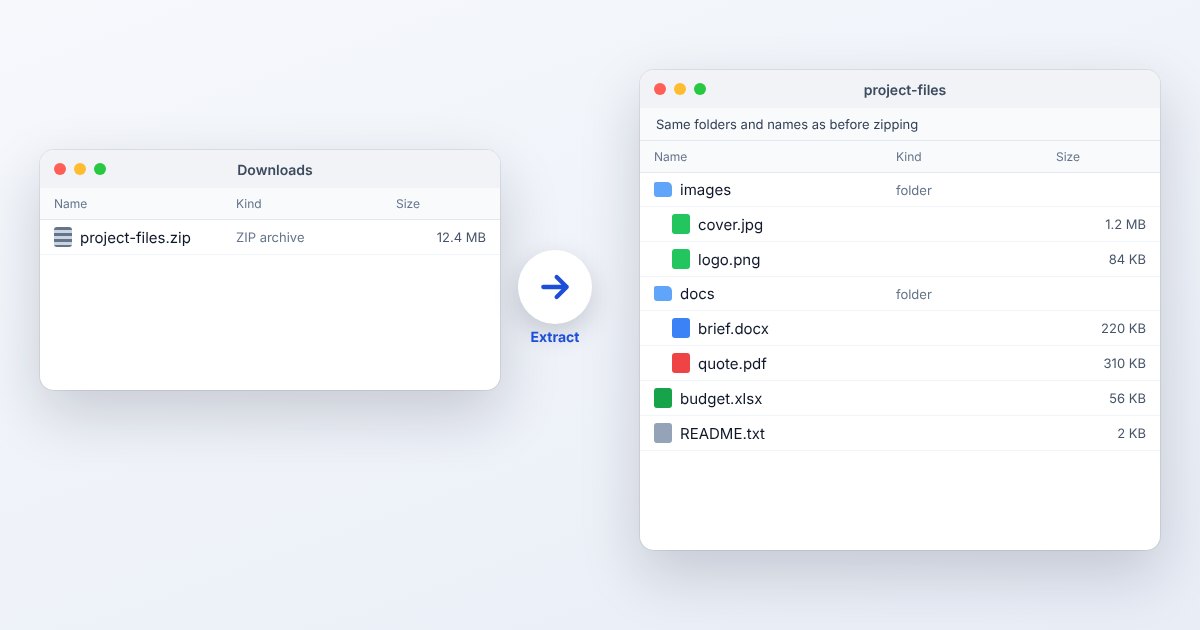
ZIP is a file container used to send a folder or several files as one attachment. An archive can store directory paths and use compression, but it does not turn the enclosed files into a new document type. A ZIP of invoices still contains separate invoices after extraction. This is why downloading a folder from a sharing service often gives you a .zip.
Compression results depend on the contents. Text and repetitive data can shrink substantially, while photographs and videos may already be compressed. ZIP also has different compression and encryption variants, so support for a plain ZIP does not establish support for every password-protected ZIP. For a simple handoff, a conventional unencrypted archive is usually the easiest variant to exchange.
How to open .zip files
Windows
In File Explorer, right-click the archive and select Extract All, then choose a destination. Extracting the whole folder is preferable when several files depend on each other. Windows 11's built-in archive handling does not support encrypted archives; those need compatible software.
Mac
Double-click the ZIP in Finder. macOS expands it beside the original. To make a new ZIP later, select the files or folder, Control-click and choose Compress. Work in the extracted folder when editing the contents.
iPhone
In Files, locate and tap the ZIP. A folder containing its contents appears; open that folder to access individual files. To zip selected items, use More, Select, select the items, then More and Compress.
Android
Open Files by Google, browse to the archive, tap it, choose Extract and then Done. The app offers a Delete ZIP file checkbox; leave that unchecked until you have confirmed the extracted documents are usable.
Browser
Use UtilityNest's Extract a ZIP link below and choose the saved archive. Google Drive also lists ZIP among its previewable formats, but previewing a package is different from obtaining an extracted local folder you can edit and share.
When to convert it and what changes
Usually you should extract a ZIP rather than convert it. If it contains a PDF, the PDF is what an application form expects; uploading the ZIP instead will not satisfy a PDF-only field. To share changes, create a new archive from the edited folder and give it a clear new name.
Changing the compression wrapper should not alter the bytes of successfully extracted files. It may change timestamps, permissions or encryption behavior between operating systems and archive applications. When a transfer must retain a password, deliberately set protection on the new archive and test it separately. A ZIP is also not a way to reduce a video's resolution or bitrate.
Three common problems and fixes
Files by Google: “Memory full”
Extraction needs space for the expanded contents as well as the ZIP. Free device storage or move other data to an SD card, then retry. An archive's download size is not the space required for its extracted folder.
7-Zip: “CRC Error”
The integrity check failed while extracting a member. Download or copy the ZIP again, and use Test in 7-Zip to check the replacement. Keep the original source files until the new archive passes and the expected contents open.
Encrypted ZIP will not extract in File Explorer
Windows' documented limitation is encrypted archives; there is no single universal dialog text for every ZIP method. Open it in a compatible application such as 7-Zip and enter the sender's password, rather than removing the .zip extension.
.zip and related formats
| Format | Useful for | Main tradeoff |
|---|---|---|
| ZIP | Attachments and ordinary folder delivery | Encrypted variants need compatible apps |
| 7z | Higher-compression packaging options | Less universal built-in extraction |
| TAR.GZ | Unix directory archives | Two layers; filesystem details vary |
Frequently asked questions
Can I open a ZIP without installing software?
For an ordinary ZIP, Windows File Explorer, macOS Finder and iPhone Files provide built-in extraction. On Android, Files by Google has a documented ZIP extraction workflow.
Why is my ZIP almost as large as the folder?
Existing JPEG, video and other compressed data leave little redundancy for ZIP to remove. Use a format-specific image or video tool if reducing media size is the actual goal.
Can I delete the ZIP after extracting it?
Once you have checked that the full contents were extracted and are stored where you need them, the archive is a separate copy. Preserve it if you still need the original download or backup.
Why does opening a file inside the ZIP lose my changes?
An application may open a temporary extracted copy. Extract the folder first, edit the regular files there, and package that edited folder again so you know which copy you are sending.