Images
What is a .avif file?
AVIF image
An AV1-based image format used for compact web graphics and photographs.
Official sources checked
What it is and where it appears
AVIF stores images compressed with AV1 in a HEIF-based container. It is often encountered when saving a photograph or graphic from a website that serves modern image formats. The site may have selected AVIF to reduce transfer size, even though the picture looks like the same ordinary product photo you expected to download as JPEG. The saved extension reflects the delivered format.
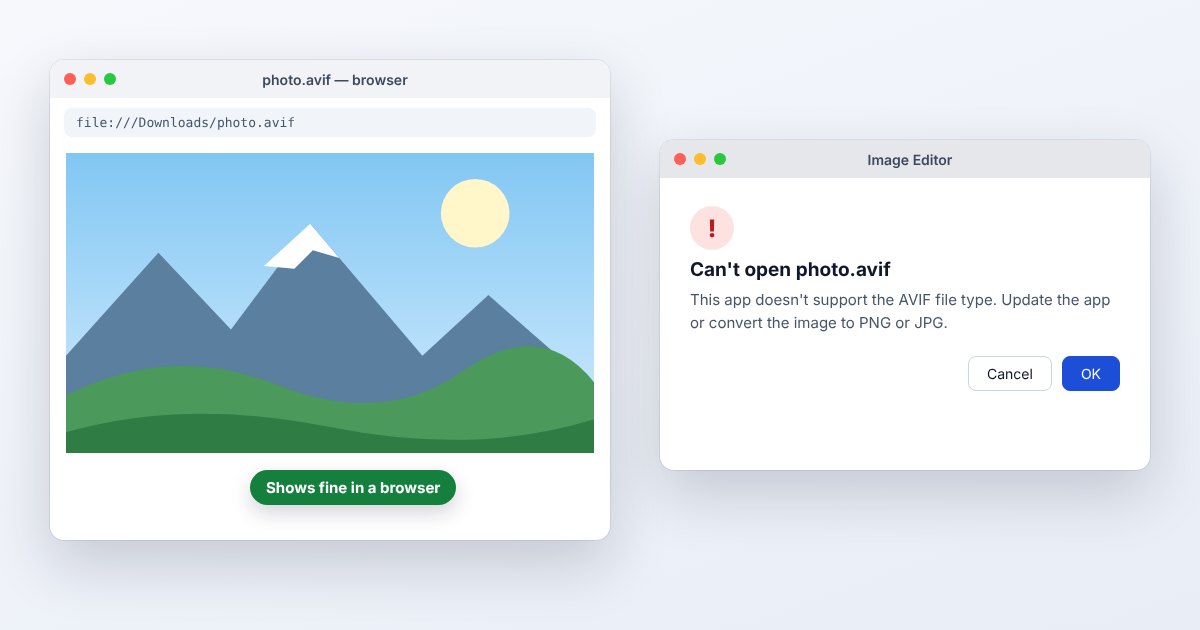
The AVIF specification supports still images and image sequences, transparency, high dynamic range and wide color gamut. An individual file does not necessarily use all of those features. Its encoding profile and bit depth can matter to a reader. That explains why a browser may display one AVIF successfully while an older photo application, or another device, fails on a different AVIF.
How to open .avif files
Windows
For viewing, open the saved file in a current Chrome or Firefox window. For example, use Ctrl+O and select it. If your photo editor's supported-format list does not include AVIF, convert a copy to PNG or JPG before bringing it into that editor.
Mac
Use a current Safari or Chrome release to view the file. Apple added AVIF support across successive Safari and macOS releases, so an old Safari installation is not a reliable compatibility test. Browser display and native editor import remain separate capabilities.
iPhone
Safari supports AVIF on supported modern iOS versions. Open the original image link in Safari, or select the saved file through UtilityNest's AVIF converter. Do not infer that every app receiving an attachment can decode it just because Safari can.
Android
Try Chrome or an AVIF-capable image viewer. Android's current support table lists baseline 8-bit AVIF decoding from Android 12 and treats higher-bit-depth support separately. A device's operating system version alone does not establish every app's AVIF behavior.
Browser
Use an up-to-date browser for direct viewing, then the AVIF to PNG or AVIF to JPG link below for a format-specific upload requirement. If the original animates, establish that first: the linked still-image conversion should not be mistaken for animation-preserving export.
When to convert it and what changes
Choose PNG for a still graphic whose transparent edges must survive, and JPG for a conventional opaque photo submission. Both outputs may lose AVIF-specific auxiliary information, and an ordinary export can change the HDR or wide-gamut appearance. Compare highlights, shadow detail and colors on the destination display instead of checking only the filename.
Converting a compressed AVIF into a larger PNG does not recreate discarded camera detail. Conversely, another lossy JPEG encoding can introduce additional artifacts. Keep the source and create the required delivery copy once. When choosing a website format, compare the real image at the same dimensions and acceptable quality rather than assuming AVIF is always the smallest option.
Three common problems and fixes
The image opens in a browser but not the editor
The two applications have different decoders. Update the editor and check its documented input formats. If AVIF is absent, use PNG for a transparent still or JPG for an opaque photo, then import that real conversion.
A moving AVIF becomes a still image
The export selected a single frame or used a still-image output. Retain the animated original and use a workflow that explicitly handles sequences if motion is required. Changing the output suffix cannot restore frames that were never exported.
The converted image looks flatter or less bright
HDR or wide-gamut source data may have been mapped to a more limited output. Inspect the converter's color and HDR behavior, and ask the creator for a suitable SDR version when consistent appearance across ordinary displays is the priority.
.avif and related formats
| Format | Useful for | Main tradeoff |
|---|---|---|
| AVIF | Efficient web delivery, HDR-capable images | Encoding features affect compatibility |
| WebP | Broad modern web-image use | Different bit-depth and compression choices |
| JPG | Ordinary photo attachments | No standard alpha channel or animation |
Frequently asked questions
Is AVIF a video file?
It uses AV1 image compression but is an image-file format. An AVIF may contain an image sequence; that does not make it a normal video with an audio track.
Can I rename AVIF to JPG?
The underlying bytes remain AVIF. Decode and export the image as JPEG with an image converter or compatible application so software expecting JPEG receives the right structure.
Can AVIF have a transparent background?
Yes, the format supports an alpha channel. Whether transparency remains after conversion depends on the target and settings; ordinary JPEG requires a filled background.
Why is an AVIF smaller than my PNG?
The files may use different compression, dimensions or quality settings. A small lossy AVIF and a lossless PNG are not equivalent preservation copies, even if they look similar at a casual viewing size.