Documents
What is a .docx file?
Word document
An editable document used by Microsoft Word and other compatible editors.
Official sources checked
What it is and where it appears
DOCX is the modern Microsoft Word document format. Its package holds document text together with structures such as styles, tables, images, comments and tracked revisions. You usually receive one when somebody expects you to edit a letter, fill in a proposal, review an agreement or continue writing a shared draft. The filename alone does not tell you whether the document is a final version.
A Word document is laid out by the application that opens it. Fonts, page settings and supported features can affect line wrapping and page breaks, so two editors may produce different pagination from the same file. DOCX belongs to Office Open XML and is distinct from the older binary DOC format. It is also distinct from DOCM, the macro-enabled Word format.
How to open .docx files
Windows
Open Microsoft Word and choose File > Open > Browse to select a local DOCX. Use Print Layout when checking a form or page-based document. If Word is not the default app, right-click the file in File Explorer and choose Open with > Word.
Mac
Word for Mac opens DOCX, and Apple Pages can import it. For a Pages import, review conversion notices and inspect floating pictures, tables and headers before exporting back to Word. Layout-sensitive work benefits from a PDF supplied by the original author.
iPhone
Open the attachment with Word for iPhone, or use Pages and select the document in its browser. A compact reading view is convenient for text but is not sufficient evidence that a printed form's boxes and page breaks remain correct.
Android
Microsoft Word for Android can open DOCX from the device or connected storage. Google Docs also supports Word files. Use the application's editing mode when making changes rather than assuming the attachment preview can save a revised document.
Browser
Open the document in Word for the web through OneDrive, or in Google Docs through Drive. Google distinguishes editing the Office file from converting it to a Google document. Keep track of which version you download for a recipient who specifically requests .docx.
When to convert it and what changes
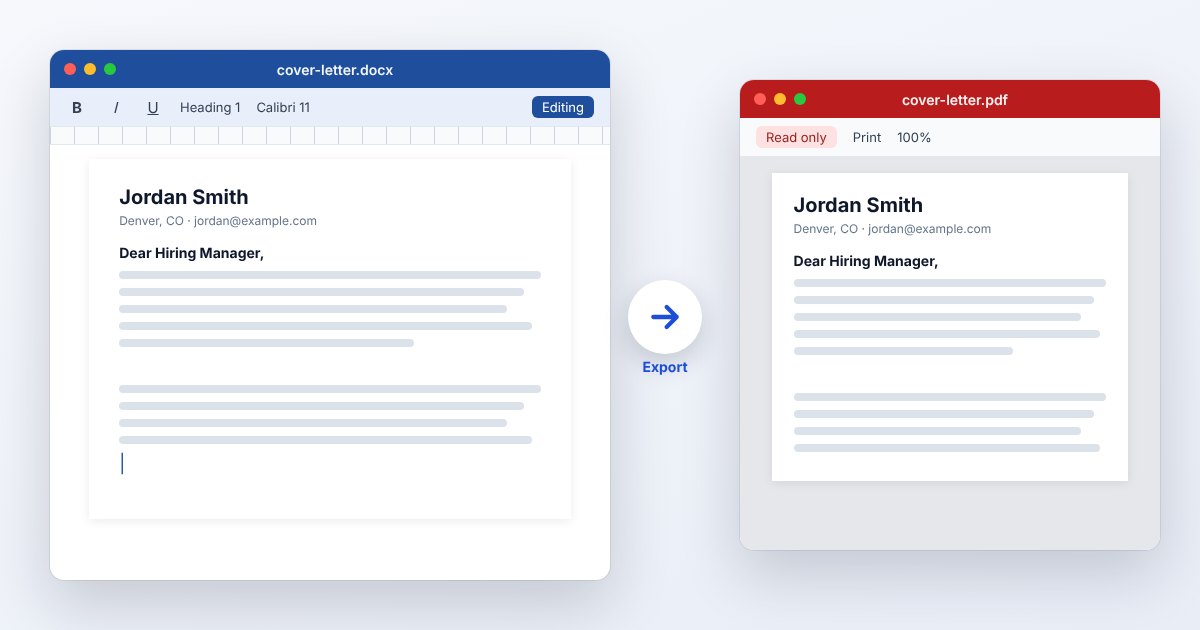
Export PDF when the next person needs a stable reading or printing copy. In Word, use its PDF save/export workflow and inspect the result, especially tables crossing pages and custom fonts. A PDF is not the best handoff when the recipient must restructure paragraphs, work through tracked changes or reuse document styles.
Before sending either format, decide what to do with review history. Hiding markup changes the view; it is not the same action as accepting or rejecting revisions. Check comments, headers and document properties as part of the handoff. Converting an old DOC into DOCX can improve compatibility with newer workflows, but cannot supply missing fonts or reconstruct a damaged source.
Three common problems and fixes
Word shows “Protected View”
The file is being opened with editing restricted, often because it came from the internet. For a document whose sender and contents you trust, use Enable Editing. If organizational policy prevents editing, ask the document owner or administrator rather than disabling protection globally.
Word: “locked for editing by another user”
Another session may be using the document, or an earlier Word session may not have closed cleanly. Check with collaborators and close your other open instances. Read a copy while someone else edits; do not delete lock files for an active shared document.
Word cannot open a damaged document
For a trusted local copy, use File > Open > Browse and the arrow beside Open > Open and Repair. If recovery succeeds, save a new copy and inspect the content. Microsoft's Recover Text option is a last resort that does not preserve all formatting.
.docx and related formats
| Format | Useful for | Main tradeoff |
|---|---|---|
| DOCX | Editing and reviewing structured text | Pagination depends on the reader |
| DOC | Legacy Word workflows | Older binary format |
| Approved reading or print copy | Less suitable for ongoing text editing |
Frequently asked questions
Can Pages open a DOCX?
Yes. Apple lists Word DOCX among Pages' import formats. An imported document can still need layout adjustments, so examine warnings and compare the output when returning it to a Word user.
Is DOCX the same as PDF?
No. DOCX is a word-processing source; PDF is a page-description format. Choose based on whether the recipient needs to edit document structure or read a fixed rendition.
Why did the document gain a page?
Font substitution and layout differences can change wrapping. Ask which fonts the author used, check paper size and margins, and compare with their PDF before deleting text to force the page count.
Does turning off Track Changes remove old edits?
Turning it off stops recording new revisions. Existing tracked revisions remain until accepted or rejected. Review them intentionally before sharing a clean final document.