Documents
What is a .pdf file?
PDF document
A fixed-layout document for reading, printing and sharing pages.
Official sources checked
What it is and where it appears
PDF stands for Portable Document Format. It describes pages containing text, graphics and images, making it useful for invoices, manuals, application forms and documents intended for printing. A PDF can preserve a designed page without requiring the reader to have the original word processor. It can also carry links, annotations, form fields and other features that go beyond a page image.
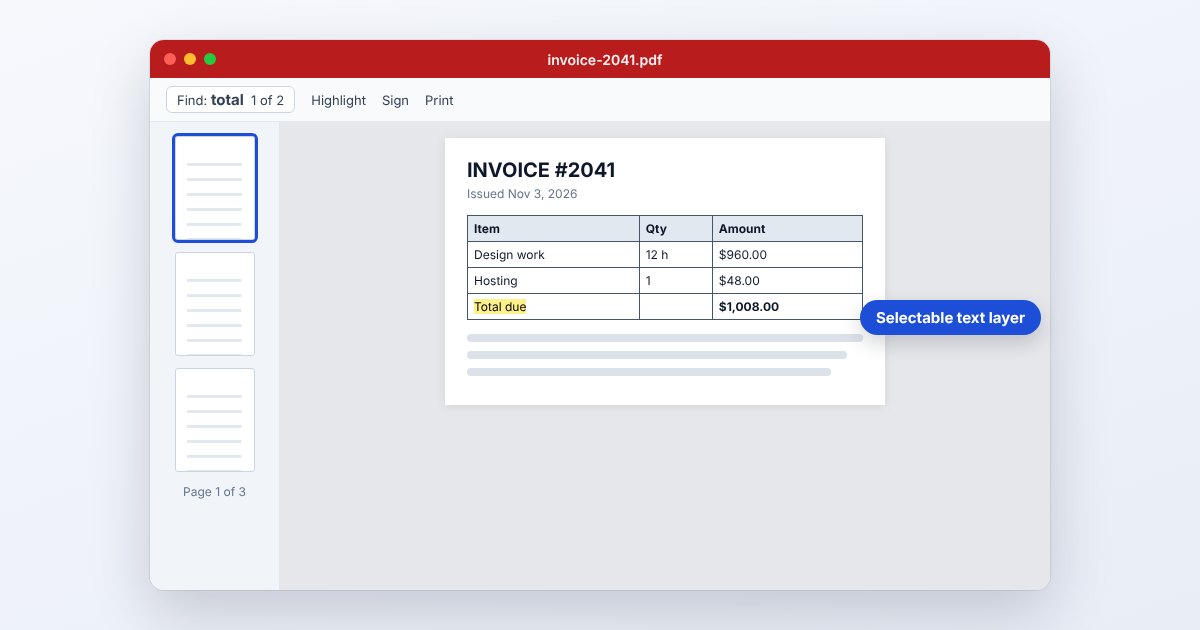
Two PDFs that look alike can behave very differently. One may contain selectable text; another may be a scanned photograph of each page. Some forms use specialized technology that a browser preview cannot fully handle. Before choosing a conversion, decide whether you need the page appearance, editable text, fillable fields or the original document's signatures and security properties.
How to open .pdf files
Windows
Open a downloaded PDF in Microsoft Edge for routine reading, or use Adobe Acrobat Reader. For a form that fails in a browser, save the attachment to disk and choose Open with > Adobe Acrobat Reader from File Explorer.
Mac
Preview opens ordinary PDFs and provides thumbnails, annotation and printing controls. Use File > Open to select the document. If a specialized form does not render correctly, try desktop Acrobat Reader rather than assuming the PDF is blank.
iPhone
In current iOS versions with Preview, open Preview, tap Browse and select the PDF. Files can also provide access to downloaded documents. For Acrobat's mobile workflow, use the share sheet's Open in Acrobat option when that app is installed.
Android
In Files by Google, locate the PDF under Recents or search for it, then tap it. The More menu includes Find in file, Print and Open with. Adobe Acrobat for Android is another option for reading and supported form workflows.
Browser
Chrome, Edge, Firefox and Safari can display ordinary PDF pages. A browser's visible page is not a guarantee that every interactive feature works. Download the file and check it in the issuer's recommended application when filling a formal form.
When to convert it and what changes
Convert to Word when you need substantial text editing and do not have the source document. Expect to review columns, tables and line breaks: a PDF stores page positioning, not necessarily the original paragraph structure. A scanned PDF needs OCR before its words become machine-readable. Recognition mistakes still need correction against the scan.
Export JPG or PNG for a page image, but keep the PDF if selectable text, multiple pages, links or form fields matter. Printing or flattening a PDF can remove interactive fields, and modifying a digitally signed file can affect signature validity. Work on a copy and retain the original signed document when its verification matters.
Three common problems and fixes
A form displays “Please wait...” indefinitely
This placeholder can indicate content the current viewer cannot render. Download the original and open it in desktop Acrobat Reader. If the issuer requires an interactive form, do not substitute a screenshot or flattened printout without checking their submission instructions.
Acrobat reports a damaged PDF
Save a fresh copy from the original link and update the reader. Adobe advises recreating genuinely damaged PDFs from their source; repairing the Reader installation does not reconstruct missing document bytes. Ask the sender for a new export if necessary.
Password prompt or disabled editing commands
An opening password and permissions restrictions are different controls. Enter the password supplied by the author to open it. When printing or editing remains unavailable, request the appropriate authorized copy rather than assuming the viewer is broken.
.pdf and related formats
| Format | Useful for | Main tradeoff |
|---|---|---|
| Page-based reading and printing | Editing structure may be unavailable | |
| DOCX | Revising text and document styles | Layout can change across editors |
| JPG | One page as a simple image | No live text or interactive form fields |
Frequently asked questions
Why can I see text but cannot select it?
The page may be an image scan. OCR can add recognized text, but it must be checked for errors, especially in small print, tables and low-resolution scans.
Can I fill a PDF without printing it?
Yes, when it has supported form fields, or by adding appropriate text annotations to a permitted copy. Save, close and reopen the result to confirm your entries are actually stored.
Does saving as PDF make a file uneditable?
No. PDF is a format, not a universal editing lock. Permissions, signatures and access controls are separate features; a recipient may have software that edits ordinary PDF content.
Will compressing a PDF blur the text?
It depends on the operation. Re-encoding page images can reduce visible detail; preserving actual text and vector objects avoids that particular loss. Inspect small print and scans in the compressed copy before submitting it.