Documents
What is a .hwp file?
Hancom HWP document
A Hangul word-processing document often used for Korean forms and notices.
Official sources checked
What it is and where it appears
HWP is a word-processing format associated with Hancom Hangul. International readers often encounter it when downloading a Korean university application, public notice, business form or document supplied by a Korean organization. The file may contain ordinary paragraphs alongside complex tables, equations, positioned objects and embedded pictures. It needs a reader that understands HWP; Microsoft Word's familiar icon is not evidence that Word can render it correctly.
Hancom publishes specifications for several HWP generations, including the widely encountered binary HWP 5 format. HWP is different from the XML-based HWPX package. Both can represent a Hangul document, but support depends on the application and version. When the document is a form, preserving the placement of fields and signatures is often more important than merely extracting readable sentences.
How to open .hwp files
Windows
Use Hancom Office Viewer for reading, or Hancom Hangul for editing. In the desktop application, choose File > Open and select the HWP. A viewer is appropriate for checking a notice; an editable submission needs software that can save the required document format.
Mac
Hancom's official viewer download page lists a Mac option. Use the Mac product linked there and check its supported formats and system requirements. Preview is not a substitute for a dedicated HWP renderer. Request a PDF if you only need a reliable reading copy.
iPhone
Hancom's iOS Office documentation lists HWP among its document formats. Open the saved attachment in the Hancom app through its document-opening interface. If the app is unavailable for your device or region, use the browser viewer below or ask for PDF.
Android
In Hancom's Android Office app, the documented launcher provides Open and Recent Documents. Select the saved HWP there. Viewer and editing products differ, so confirm which app you installed before expecting to type into a form or save changes.
Browser
UtilityNest's HWP Viewer opens supported documents through its file picker. Inspect page count, tables and any embedded seal after rendering. If it cannot handle a protected or older document, use the compatible Hancom desktop application instead of repeatedly changing the extension.
When to convert it and what changes
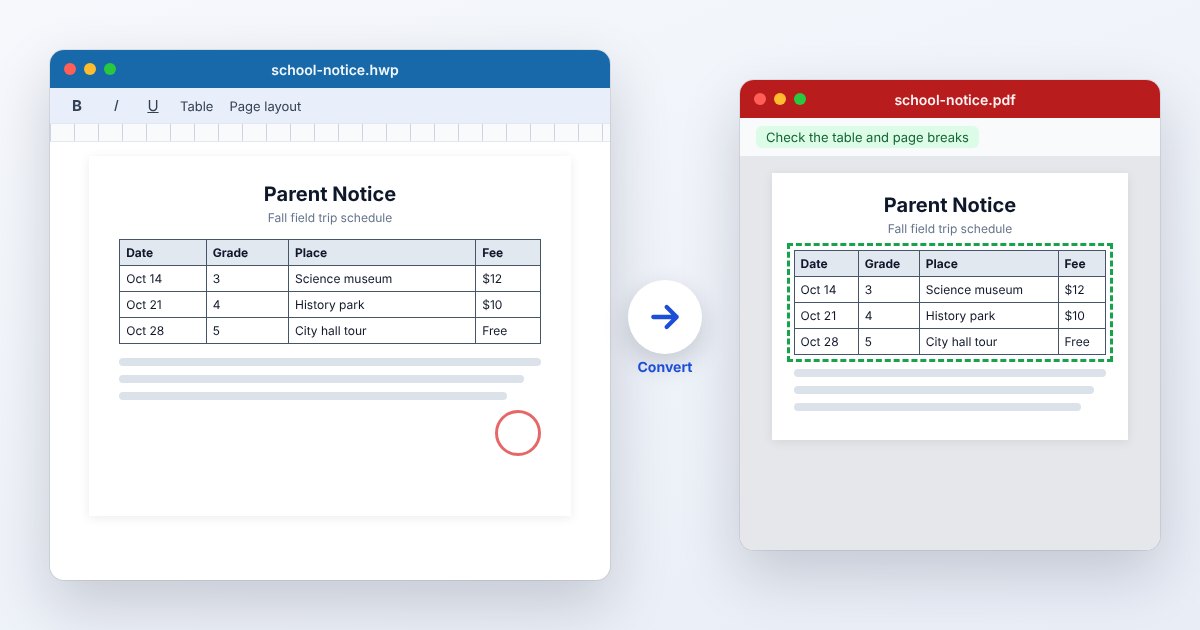
Use PDF for a person who needs to read or print the form without Hancom software. Keep HWP when the receiving organization requires an editable Hangul submission. A PDF export should be compared page by page with the source: check narrow table cells, page endings, footnotes and positioned images, not just the first paragraph.
DOCX can be useful when someone must edit in Word, but it changes the document model and may alter layout or object behavior. Plain text extraction loses tables as designed pages, pictures and formatting. Keep a source copy before converting, and reopen the final file in the receiving workflow before submitting an application or completed form.
Three common problems and fixes
Hancom: “This file is read-only or already in use.”
This documented message can appear when opening a read-only document. Read it without editing if that is sufficient. For changes, close another editing session or obtain an editable copy from the owner; a viewer cannot turn a protected handoff into an editable source.
Hancom displays “Document Password”
The file requires its document-opening password. Enter the password supplied by its author in Current Password. A conversion to PDF cannot be used as a guaranteed way to read an encrypted document without the password.
The document opens, but tables or characters differ
Check whether you used a compatible HWP application and whether the document's fonts are installed. Compare with a PDF exported by the sender. If you only extracted text, reopen with a page renderer before judging the original layout.
.hwp and related formats
| Format | Useful for | Main tradeoff |
|---|---|---|
| HWP | Existing Hangul documents and forms | Binary versions require matching support |
| HWPX | XML-based Hangul document packages | Older readers may not support it |
| Reading and printing across devices | Not the editable Hangul source |
Frequently asked questions
Can Microsoft Word open every HWP file?
Do not assume universal HWP support. Use a Hancom-compatible reader or convert a copy to DOCX, then inspect the result in Word. A renamed .docx is still HWP internally.
Can I read HWP without buying an editor?
Hancom offers viewer downloads, and UtilityNest provides a browser viewer for supported files. Viewing and editing are separate capabilities; check the product and licensing terms for your particular use.
Should I submit PDF instead of HWP?
Follow the receiving organization's file requirements. If it asks specifically for HWP, a readable PDF can still be rejected because the recipient needs the editable form. Ask for clarification when the instructions conflict.
Does an HWP file contain only Korean text?
No. HWP is a document format, not a language restriction. Its content can include other languages, images and mathematical material; suitable fonts and rendering support determine how those elements display.