Images
What is a .gif file?
GIF image
A format most often used for short, silent looping animations.
Official sources checked
What it is and where it appears
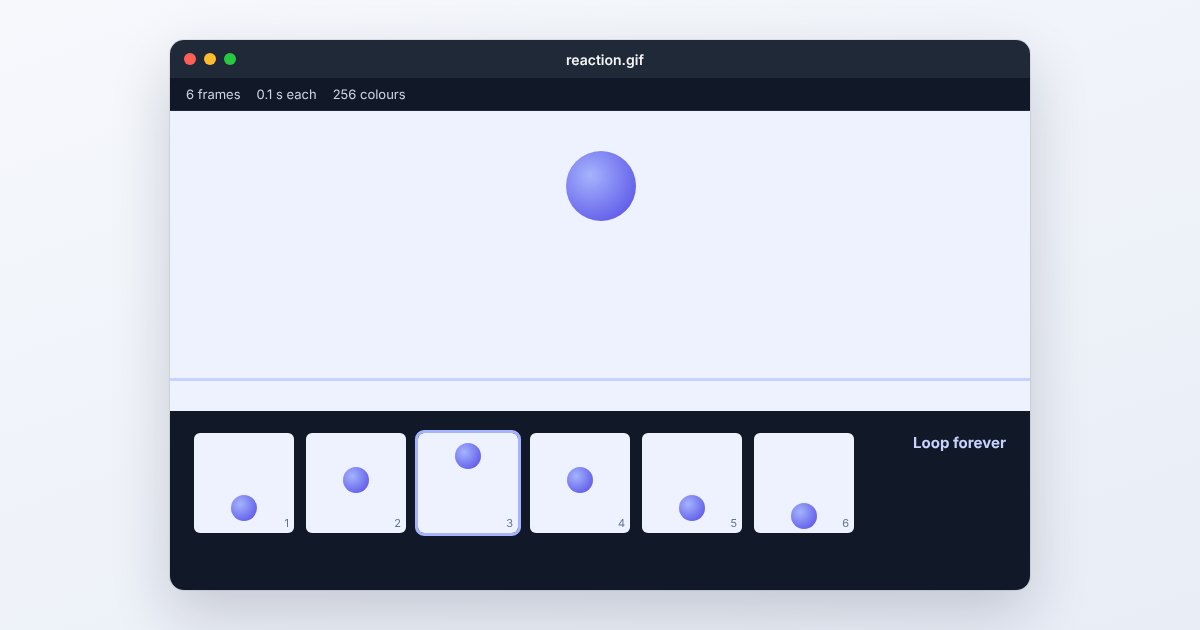
GIF is an image format widely associated with short looping animations, reactions and simple demonstrations. A file can contain one image or a sequence with frame delays. It does not carry a normal audio track. Many services call their short moving clips GIFs even when they actually deliver a video, so inspect the downloaded extension before choosing an editing workflow.
GIF uses indexed color tables rather than the full-color representation typical of a photograph. Each color table can contain up to 256 entries, which makes smooth photographic gradients harder to reproduce. Multiple frames can use different tables. Transparency selects a transparent palette entry rather than preserving a smooth range of partial opacity, which matters around antialiased edges.
How to open .gif files
Windows
Open the file in Edge, Chrome or Firefox to test playback. If you need to edit frames, Photoshop's Timeline panel provides a frame-animation workflow. Opening a GIF as a still image in another application may expose only one frame.
Mac
View it in Safari to check the full animation. For frame editing, use an animation-capable application such as Photoshop and examine the frame sequence in Window > Timeline. Do not use a static thumbnail as your only test of whether the loop survived.
iPhone
Open a GIF on its webpage in Safari, or view a saved animation in a compatible Photos workflow. When sharing, choose the actual file or animation instead of taking a screenshot, which captures only one moment and cannot contain the sequence.
Android
Chrome can display GIF animations. A file-manager thumbnail may remain still, so open the original rather than judging its thumbnail. If the messaging app converts or compresses the attachment, compare the received version with the file you selected.
Browser
A browser is a straightforward playback check on both desktop and mobile. UtilityNest's Resize a GIF tool below is intended for changing animation dimensions. After saving, reopen the output and watch at least one complete loop.
When to convert it and what changes
Use PNG when you need one frame with crisp edges, or JPG when that selected frame is an opaque photo. Those still outputs discard the motion and frame delays. For a longer moving sequence, video can be a more efficient delivery format, but ordinary MP4 export does not preserve GIF-style transparent pixels or an automatically looping image behavior by itself.
When the GIF is simply too large, reduce pixel dimensions, duration or frame count as appropriate. Fewer frames can make motion less smooth, and a smaller palette can introduce banding or dithering. Preserve the source animation so you can adjust one variable at a time and compare the actual movement rather than only the final byte count.
Three common problems and fixes
The GIF appears frozen
It may be a still GIF or the viewer may show only a preview frame. Open the original in a browser and inspect the frame count in an animation editor. If the source animates but the export does not, select an animation-preserving export.
A transparent edge looks jagged or has a halo
GIF's palette transparency cannot represent every semi-transparent edge. Export against the intended background, or use a format with full alpha support when the destination accepts it. Enlarging the GIF will not create missing edge detail.
The exported loop runs at the wrong speed
Check frame delays and the playback sequence in the editor. Removing frames without adjusting their timing can alter the duration. Preview both the first transition and the loop boundary after export; a single still preview cannot reveal timing errors.
.gif and related formats
| Format | Useful for | Main tradeoff |
|---|---|---|
| GIF | Short simple silent loops | Limited palettes and binary transparency |
| Animated WebP | Web animation with richer color and alpha | Destination must accept WebP |
| MP4 | Longer motion with possible audio | Different playback and transparency behavior |
Frequently asked questions
Why does my GIF have no sound?
GIF animation does not have a standard audio track. A moving clip with sound supplied by a social platform is generally video or a separate playback arrangement, not sound embedded in a normal GIF.
Can a GIF be a single picture?
Yes. Animation is optional. A file with one image block can be a perfectly valid GIF, so the extension alone does not prove there are additional frames.
Why is my GIF larger than the video it came from?
GIF's palette-based frame representation is poorly suited to many photographic sequences compared with modern video compression. Reduce its dimensions and duration, or distribute a video when the destination permits it.
Does saving GIF as JPG keep the animation?
No. An ordinary JPEG stores one still image. Choose the desired frame intentionally, or keep an animated output format if the movement explains something the still cannot show.