Images
What is a .heic file?
HEIC photo
A high-efficiency photo file often created by an iPhone or iPad.
Official sources checked
What it is and where it appears
An HEIC is an image file in the High Efficiency Image File Format family, commonly using HEVC compression. Many people first encounter it when copying an iPhone photo to a Windows computer or attaching it to an application form. The picture can look perfectly normal in Photos while an older upload form refuses the extension. That disagreement is about format support, not necessarily a damaged photograph.
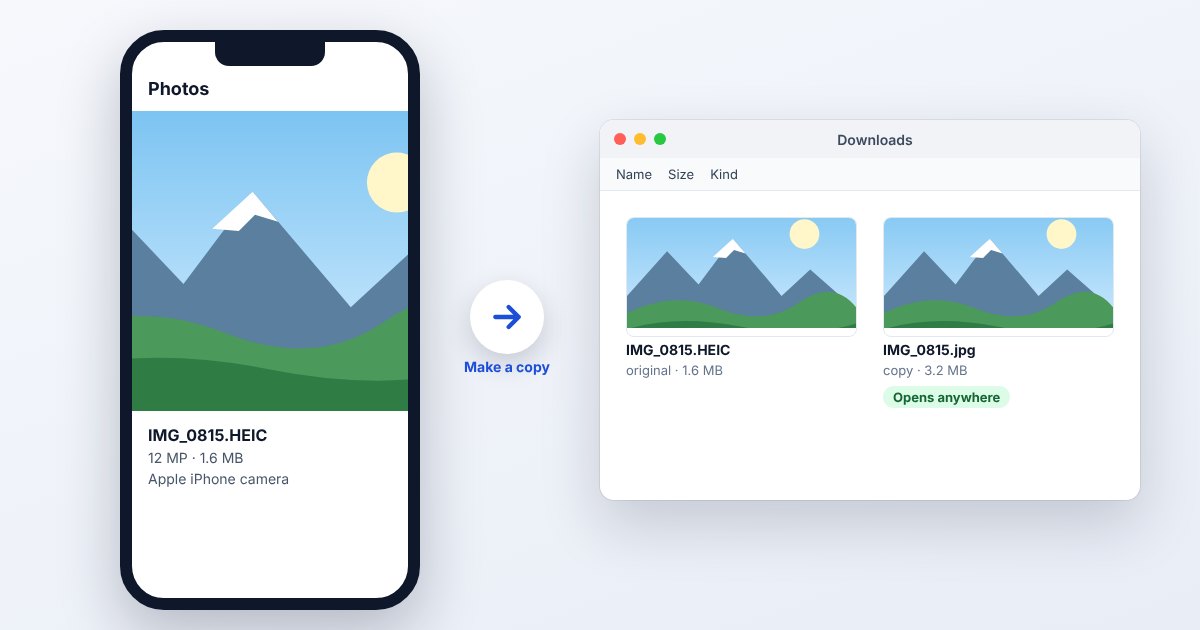
HEIF can describe more than a simple flat picture, including associated image information. A JPEG export is therefore best treated as a sharing copy rather than a replacement for the camera original. The compression choice can reduce storage at comparable visual quality, but the actual file size depends on the image, camera processing and export settings.
How to open .heic files
Windows
Try Microsoft Photos. If it requests an extension, follow Microsoft's HEIF and HEVC codec guidance and install the applicable Microsoft Store components. Both the image-container support and the image's HEVC decoder can matter; installing one component is not always sufficient.
Mac
Open the HEIC in Photos or Preview on a supported macOS version. In Preview, File > Export lets you choose a sharing format such as JPEG or PNG. Export to a new file so the original remains available.
iPhone
Photos is the natural place to view an iPhone camera original. If the image is a downloaded attachment, open it from Files or a supported image app. Let the full-resolution item download before attempting to export or submit it.
Android
HEIF decoding is listed from Android 9, but Google's current platform table marks support as device-dependent. Try the device's photo viewer or Google Photos; if that particular image is unsupported, use a JPEG copy rather than assuming every Android handset has the same decoder.
Browser
Do not depend on universal native HEIC display in browsers. UtilityNest's HEIC to JPG tool uses a conversion workflow for supported files. Select the original through its picker, then inspect the generated JPEG before uploading it to another website.
When to convert it and what changes
Choose JPEG when a site explicitly accepts JPG or JPEG photos. This creates another lossy encoding, so use a sensible quality setting and avoid repeated conversions of the already converted copy. For a single image needing lossless storage of decoded pixels, PNG may be useful, but its larger size does not recover detail already discarded during capture.
A still export should not be assumed to retain auxiliary images, depth information, all metadata or the original HDR presentation. Review orientation, color and dimensions after conversion. If you care about location privacy, inspect the exported file's metadata separately; neither a different extension nor a successful upload proves that the location tags were removed.
Three common problems and fixes
Photos: “You need an extension to use this file.”
Use Microsoft's documented HEIF and HEVC extensions for the Photos workflow, then reopen the image. If the computer cannot install them, make a JPEG copy on the Apple device or use the matching converter below.
Photoshop cannot recognize the file extension
Adobe's HEIC guidance directs Windows users to install both HEIF and HEVC support. Confirm the file really is HEIC, update the application, and retain the original while testing. A codec installation cannot fix a truncated download.
A JPEG-only form rejects the photo
Export an actual JPEG and check its size and pixel dimensions against the form's separate limits. Changing .heic to .jpg leaves the internal encoding unchanged. If the JPEG still fails, inspect the form's dimensions and byte limit rather than converting repeatedly.
.heic and related formats
| Format | Useful for | Main tradeoff |
|---|---|---|
| HEIC | Efficient camera originals | App and device support varies |
| JPG | Photo uploads and broad exchange | Lossy; ordinary JPEG lacks alpha |
| WebP | Web images and transparent graphics | Not accepted by every upload form |
Frequently asked questions
How do I make future iPhone photos JPEG?
On a supported device, go to Settings > Camera > Formats > Most Compatible. This changes subsequent captures; it does not convert the HEIC photographs already stored in your library.
Are HEIC and HEIF the same name?
HEIF names the broader container family. HEIC is commonly used for HEIF images encoded with HEVC. For opening a real file, the container and the encoded image both need support.
Will HEIC to JPG keep the same dimensions?
A converter can preserve the pixel dimensions, but resizing is a separate option and may be enabled. Check the output width and height rather than assuming a similar-looking preview means identical dimensions.
Why did my phone transfer a JPG instead?
Apple documents automatic compatibility conversion in some sharing and import workflows. Transfer settings can affect the delivered format; retain or request the original when you need the camera's original file.