Video
What is a .mov file?
QuickTime movie
A video container used by Apple devices and some editing workflows.
Official sources checked
What it is and where it appears
MOV is the filename extension commonly associated with Apple's QuickTime movie container. You may receive one from an iPhone, a screen recording or a video-editing export. A container organizes media tracks and timing; it does not prescribe a single compression method. Two MOV files can therefore have very different sizes, image quality and playback requirements.
An ordinary phone clip might use H.264 or HEVC, while a production export can use a different codec and include additional tracks or information. The player must understand both the container and the codecs inside it. A MOV that plays on its creator's Mac can still fail on another computer, even though that computer opens a different MOV without difficulty.
How to open .mov files
Windows
Try Media Player or VLC. If the clip contains HEVC and the Windows application requests codec support, follow Microsoft's current codec guidance or use a player with compatible decoding. Avoid treating a missing codec as a reason to overwrite the original file.
Mac
Open the movie in QuickTime Player with File > Open File. Use Window > Show Movie Inspector to inspect the media characteristics. This is more informative than checking .mov alone when another device cannot play the same recording.
iPhone
Photos handles supported camera recordings, while Files gives access to downloaded attachments. For an unsupported specialized MOV, use an application that documents its codec support or ask the sender for a compatible export. Download the complete clip before diagnosing playback failure.
Android
VLC for Android can open many MOV combinations through its file browser. Device and app decoding support still matters for specialized codecs. If it plays with sound only, inspect the video codec before assuming the recording has no picture.
Browser
MOV is not a universally reliable web-delivery choice. Safari may play supported combinations, but test the actual target browser. For an upload that explicitly requires MP4, use the MOV to MP4 tool below and verify the exported file's codecs and playback.
When to convert it and what changes
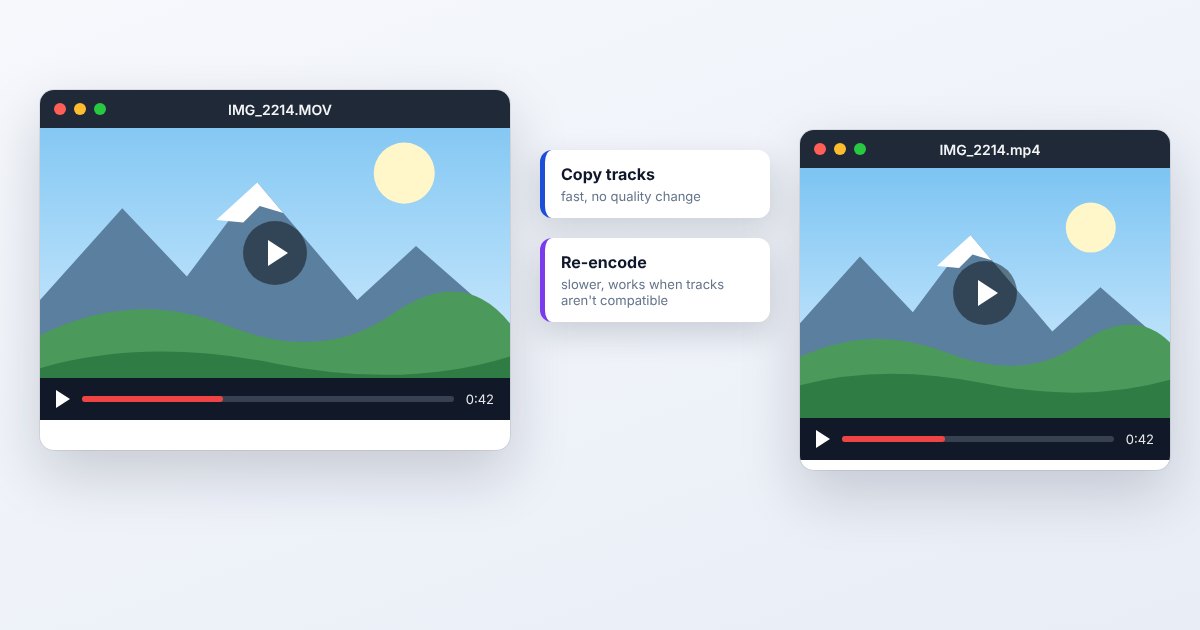
Convert to MP4 for a recipient or website that specifies that container. If the existing streams are compatible with MP4, remuxing can copy them without another video encode. If the codec itself is unsupported, the video or audio must be transcoded, which changes the encoded data and can reduce quality depending on settings.
A smaller export may also change resolution, frame rate, HDR appearance, audio channels, metadata or subtitle tracks. Check those deliberately. QuickTime Player's File > Export As can create a more compatible H.264 movie, but Apple's documentation says its movie export remains .mov; choosing H.264 there is not an MP4-container export. Keep the source when delivering an MP4 copy.
Three common problems and fixes
Windows plays audio but shows no picture
The audio decoder can work while the video decoder is missing or unsupported. Inspect the video codec and install the appropriate official support, or transcode with a compatible tool. Repeatedly changing the file extension will not supply a decoder.
QuickTime Player cannot open this movie
Update macOS and the app, then distinguish unsupported media from an incomplete file. Try a fresh original and an application supporting the actual codec. If the sender's copy works, request a compatible export from that working source.
The upload rejects MOV even after a QuickTime export
QuickTime's movie export uses MOV. Use a converter that actually writes MP4 when that is required, and check any additional codec, size and duration restrictions. H.264 identifies compression, not the filename container.
.mov and related formats
| Format | Useful for | Main tradeoff |
|---|---|---|
| MOV | Apple media and editing interchange | Codec support varies widely |
| MP4 | Common web and device delivery | Still requires compatible codecs |
| WebM | Web-focused media delivery | Different container and codec combinations |
Frequently asked questions
Is MOV higher quality than MP4?
The container name does not determine quality. Source material, codec, bitrate and encoding settings do. Equivalent compressed streams can be packaged differently without changing their decoded pictures.
Can I rename MOV to MP4?
That does not perform a valid container conversion. Use remuxing when the streams are suitable, or transcode when the destination needs different codecs. Test the resulting MP4 in the receiving app.
Why is my MOV so large?
It may contain high-resolution video, a high bitrate, an editing-oriented codec or several tracks. Inspect its properties before compressing; the size is not explained by .mov alone.
Will MOV to MP4 remove sound or subtitles?
It can if the conversion selects only some tracks or the destination cannot carry them as configured. Check the output's audio and subtitle choices and play representative sections before deleting any source files.