Images
What is a .tiff file?
TIFF image
A flexible image format common in scanning, print and archival work.
Also seen as .tif
Official sources checked
What it is and where it appears
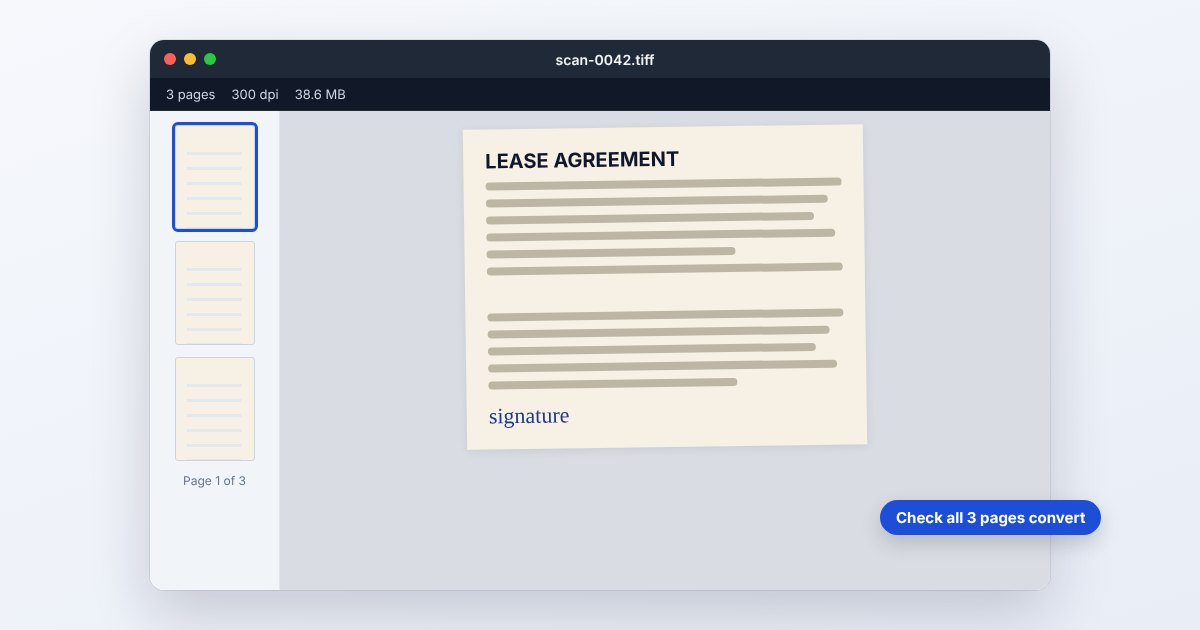
TIFF, also written with the shorter .tif extension, is a flexible raster-image container used in scanning, photography and print production. You might receive a multipage scan from an office or a high-bit-depth image from a photographer. Unlike a simple assumption that one file equals one photo, a TIFF can contain several image directories representing pages or other images.
The format's flexibility is also its main compatibility challenge. TIFF allows different compression methods, color representations and optional information. Some applications write layer data that other readers ignore. A successful thumbnail therefore proves less than you might expect: it can show the first image while hiding additional pages, and it does not establish that every editing feature is supported.
How to open .tiff files
Windows
For a photographic TIFF, use a TIFF-capable editor such as Photoshop and choose File > Open. For a multipage scan, use a viewer that explicitly navigates all pages. Photoshop's published file-format reference describes reading the first image directory, so do not use that as your only page-count check.
Mac
Preview can open TIFF images. Check the document's available images or page navigation and compare the count with the sender's scan. For editing a layered photographic TIFF, use the source-compatible editor; a flattened preview is not the original layer stack.
iPhone
Try Preview on a supported iOS version for image viewing, but verify that a multipage scan's whole contents are visible. If you need dependable reading across phone apps, request or create a PDF that includes every scanned page.
Android
Google Drive lists TIFF among its previewable image types, with RGB TIFF preferred. Use the Drive preview for a quick check, or convert the original with UtilityNest's TIFF to PDF tool. Do not assume a phone gallery supports every TIFF encoding.
Browser
Most browsers should not be treated as universal native TIFF viewers. Use the TIFF to PDF or TIFF to JPG workflow below, or a supported Drive preview. For a scan, choose the page-preserving workflow and inspect the resulting PDF before sharing.
When to convert it and what changes
Convert a multipage TIFF to PDF for a document recipient. Compare page count, order, orientation and legibility, including small stamps and handwritten notes. A conversion that reads only the first image loses the rest even though it produces a valid-looking output file. For a single photographic image, JPEG is easier to share but normally adds lossy compression.
TIFF is not synonymous with uncompressed or lossless. Adobe documents uncompressed, LZW, ZIP and JPEG compression choices; JPEG-compressed TIFF can already contain lossy data. Exports can also flatten layers, reduce bit depth or change color profiles. Preserve the TIFF master when print color, high-bit-depth editing, transparency or application-specific layers are part of the job.
Three common problems and fixes
Only the first scanned page appears
The reader or exporter may process only the first image directory. Reopen in a multipage-capable workflow, verify the source count and export all pages to PDF. Do not delete the TIFF after seeing just one successful output page.
One TIFF opens but another is rejected
Their compression or image characteristics may differ. Ask the creator for a compatible flattened export or use the application that produced it to resave a copy. A new .tif spelling does not change an unsupported compression method.
Layers disappear in the receiving application
TIFF can contain application-specific layer information that a generic viewer ignores. Send the native editing project when those layers must remain editable, or deliberately provide a flattened copy for appearance only. Check transparency and color after flattening.
.tiff and related formats
| Format | Useful for | Main tradeoff |
|---|---|---|
| TIFF | Scans and photographic masters | Encoding, pages and layer support vary |
| Multipage reading and printing | Not a photographic layer-editing master | |
| JPG | Small single-image delivery | Lossy and flattened |
Frequently asked questions
Are TIF and TIFF different formats?
They are common filename extensions for TIFF. The spelling does not tell you whether the image is compressed, layered, multipage or high bit depth; inspect the actual file.
Is TIFF always better quality than JPEG?
Not automatically. TIFF can use JPEG compression, and it may have been made from an already compressed source. Quality depends on the image data and the workflow, not the extension alone.
Can a TIFF have multiple pages?
Yes. Scanning workflows can store multiple images in one TIFF. Choose software that exposes all of them and compare the final page count after converting to PDF.
Why is the TIFF much larger than a JPG?
It may keep higher bit depth, additional pages, layers or less aggressive compression. Decide which of those properties the recipient needs before reducing size or discarding the source.