Images
What is a .png file?
PNG image
A lossless image format for screenshots, diagrams and transparent graphics.
Official sources checked
What it is and where it appears
PNG is a lossless raster-image format commonly used for screenshots, logos, diagrams and graphics with transparent areas. Raster means the picture consists of pixels at a particular width and height. Lossless compression preserves the pixel information being encoded, which is useful for sharp interface text and flat-colored artwork. It does not mean every PNG came from a lossless source.
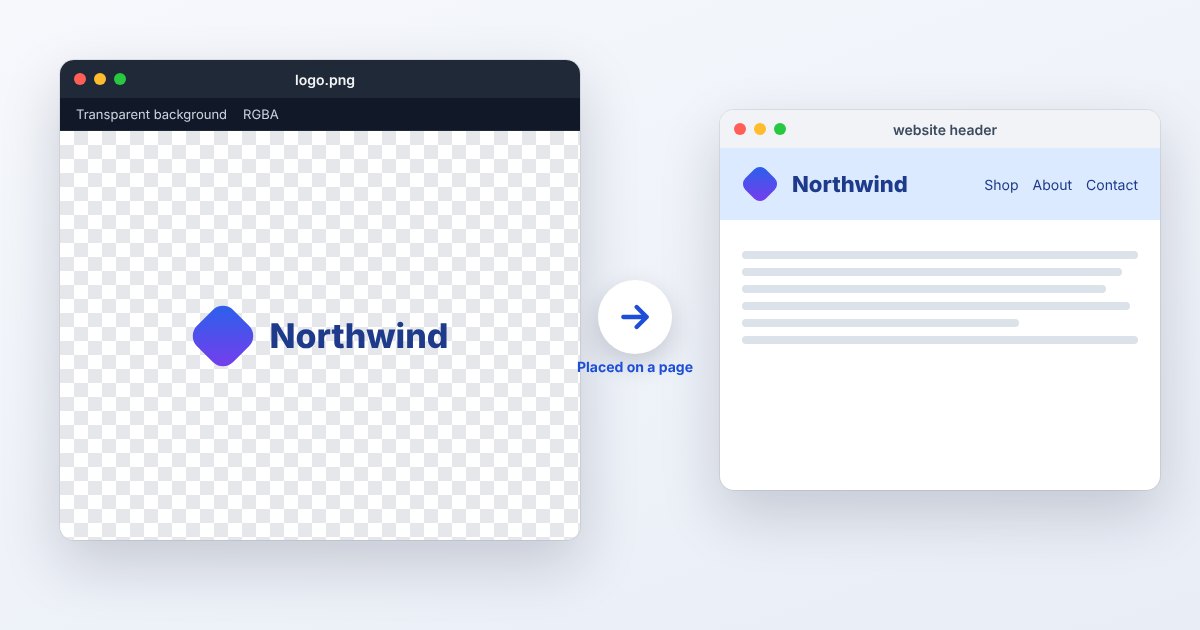
A PNG can include an alpha channel that describes partial transparency, allowing smooth edges over different backgrounds. It can also carry color information and other metadata. Modern PNG specifications include animated PNG, although many ordinary .png files and export workflows are still images. For a design handoff, distinguish a finished PNG from the editable project containing its text and layers.
How to open .png files
Windows
Open the file in Photos for viewing or Paint for basic edits. If you need transparent layers and more controlled export, use an editor that explicitly supports them. A white canvas behind the image may be the viewer's display background rather than white pixels in the file.
Mac
Preview opens PNG and can export other formats through File > Export. Check transparency against more than one background when preparing a logo. If you need to edit the original text or separate design elements, obtain the source document rather than tracing the PNG.
iPhone
Open the image from Files or Preview, or view a saved copy in Photos. The app's background can make transparency difficult to judge. Place the image over a colored background in an appropriate editor if the transparent edge is important.
Android
Google Photos or a compatible gallery can display PNG, and Android documents PNG encoding and decoding support. Use the original downloaded file for an upload; sharing through another app may create a different copy with altered dimensions or encoding.
Browser
All common modern browsers display ordinary PNG. Open the file directly in Chrome, Edge, Firefox or Safari. To meet a JPEG-only requirement, use the PNG to JPG tool and check the chosen background before downloading the converted image.
When to convert it and what changes
Convert to JPEG for an opaque photograph when its smaller size or compatibility is useful. Transparency must become a background color, and lossy encoding can soften small type or thin lines. A screenshot with fine lettering is often better kept as PNG unless the upload specification requires otherwise.
WebP can be useful for web delivery, with either lossless or lossy settings. Resizing, color reduction and metadata removal are separate operations from lossless PNG compression. Preserve an editable source for layer changes and a full-resolution PNG for reuse. If the PNG contains animation, make sure a converter retains the sequence rather than silently exporting one frame.
Three common problems and fixes
The background becomes black or white after conversion
The output workflow replaced transparent pixels with an opaque background. Export with an explicitly chosen matte color for JPEG, or retain PNG for alpha transparency. Compare over the destination background to catch dark or light edge fringes.
The logo looks blurry when enlarged
PNG has fixed pixel dimensions. Export a larger PNG from the original vector artwork, or use SVG where accepted. Increasing the width of a small PNG merely interpolates existing pixels and does not recreate the original curves.
The PNG looks like a checkerboard everywhere
A checkerboard may be an actual downloaded picture rather than a transparency indicator. Test it over a solid background in an editor. If the checks remain part of the image, obtain a genuinely transparent source or remove the background deliberately.
.png and related formats
| Format | Useful for | Main tradeoff |
|---|---|---|
| PNG | Lossless screenshots and alpha graphics | Pixel dimensions limit enlargement |
| JPG | Compact opaque photos | Lossy and no alpha channel |
| SVG | Scalable vector icons and diagrams | Needs compatible vector rendering |
Frequently asked questions
Does PNG preserve layers?
Standard image interchange with PNG does not preserve a Photoshop-style editable layer stack. Save the design application's native project as well as the finished PNG if individual elements need future editing.
Is every PNG transparent?
No. Alpha is optional, and an alpha channel can be fully opaque. Inspect the actual file over another background instead of relying on the extension or a thumbnail.
Can converting JPEG to PNG improve its quality?
It can avoid another lossy encoding step during later PNG saves, but it cannot reverse the JPEG's existing losses. The decoded image may look the same while occupying more disk space.
Why is my PNG too large for an upload?
A large photographic PNG preserves many pixel values. Check the site's allowed dimensions and formats; reducing dimensions or exporting a suitable JPEG can save space, with different quality and transparency consequences.