Images
What is a .svg file?
SVG graphic
A vector format for logos, icons and diagrams that need to scale cleanly.
Official sources checked
What it is and where it appears
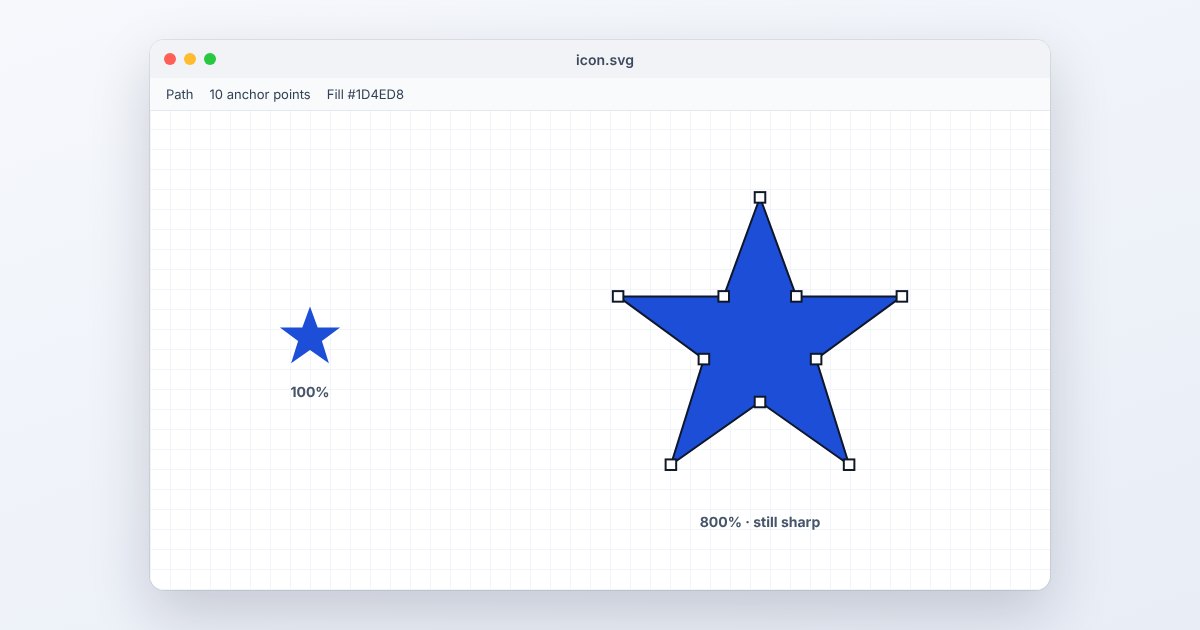
SVG stands for Scalable Vector Graphics. It describes shapes, paths, text and related graphic information using XML. You often encounter it in a logo download, icon set, diagram or website asset. A vector shape can be redrawn at different sizes without turning its edges into the enlarged pixel blocks associated with a small bitmap image.
Not everything inside an SVG is necessarily vector artwork. It can reference or embed raster images, depend on fonts, use filters, and include interactive or scripted behavior. A file can therefore render differently when opened as a full document, embedded as an image or imported into an editor. For a handoff, a self-contained drawing is easier to reproduce than one relying on missing external resources.
How to open .svg files
Windows
Open a trusted SVG in Edge, Chrome or Firefox to view it. For editable paths and shapes, use Inkscape or Adobe Illustrator and choose File > Open. A browser shows the rendered graphic; it is not a full vector-editing interface.
Mac
Safari can display SVG, while Inkscape and Illustrator provide editing workflows. Keep the original before changing text to paths or simplifying artwork. Those operations can improve portability while removing convenient text editing or altering the original structure.
iPhone
View a trusted SVG link in Safari. For a downloaded file that an attachment preview does not display, use UtilityNest's SVG to PNG tool through its file picker. PNG is useful for a destination app that accepts pictures but not vector documents.
Android
Chrome can display SVG web content. If the file manager offers no useful preview, select the original in the SVG to PNG tool and export the dimensions needed by your destination. A gallery's lack of an SVG thumbnail does not prove the drawing is invalid.
Browser
Open the SVG directly to examine it, then test its intended use on the actual webpage. Browser image contexts restrict some behavior and external resources, so a drawing that looks correct in its own tab may need embedded assets or simpler styling when used as an image.
When to convert it and what changes
Export PNG at the final pixel dimensions when the receiving form, slide or application cannot use SVG. Rasterization fixes the appearance at that size and discards separately editable paths. A larger PNG is useful only if the source contains scalable information; an embedded low-resolution photo remains limited by its original pixels.
PDF can be appropriate for a page-based vector handoff, but effects and fonts need checking in the target application. Converting text to paths can preserve letter shapes without the original font, while sacrificing normal text editing and search. Save an editable SVG master before making that delivery copy, and inspect the viewBox or export area so artwork is not clipped.
Three common problems and fixes
Firefox: “XML Parsing Error”
The document is not well-formed XML. Inspect the reported line for an unclosed tag, improperly escaped character or other syntax problem. Re-export from the authoring application if you did not edit the XML yourself; a PNG extension cannot repair malformed XML.
Firefox: “prefix not bound to a namespace”
A namespaced attribute may lack the appropriate namespace declaration. For older xlink-based artwork, check the SVG root's xlink binding. Use the editor's valid SVG export rather than removing unfamiliar attributes at random.
The logo text changes or a picture disappears
A font or externally linked image may be missing. Supply permitted fonts, embed the image resources, or create a separate delivery copy with text converted to paths. Recheck in the receiving browser after those changes.
.svg and related formats
| Format | Useful for | Main tradeoff |
|---|---|---|
| SVG | Scalable shapes, icons and diagrams | Fonts and external resources can matter |
| PNG | Fixed-size transparent delivery images | Rasterized objects cannot be edited separately |
| Page-oriented graphic delivery | Effects may convert differently |
Frequently asked questions
Is every SVG infinitely sharp?
Vector shapes scale cleanly, but embedded bitmap photographs do not gain resolution. Complex filters may also be rasterized during export. Examine the actual contents before promising unlimited enlargement.
Can I edit SVG in a text editor?
Yes, it is XML, but syntax and coordinate mistakes can break rendering. A vector editor is generally easier for visual changes; keep a backup before manually modifying markup.
Why does an SVG download instead of display?
The server's content type or download headers may request that behavior. SVG uses image/svg+xml. If you control the website, check its response headers rather than changing a valid drawing's extension.
Can SVG have transparency?
Yes. Shapes and groups can use opacity, and unpainted areas can remain transparent. When exporting to PNG, preserve alpha if the image must sit over different backgrounds; JPEG requires an opaque background.