Documents
What is a .pptx file?
PowerPoint presentation
An editable slide deck that can include speaker notes, media and animation.
Official sources checked
What it is and where it appears
A PPTX is a PowerPoint presentation package containing slides and their supporting objects. It may include editable text, shapes, images, speaker notes, transitions, animations and embedded media. Slide decks from classrooms, conferences and workplaces commonly use it because the recipient can revise individual objects or run the presentation rather than receive only pictures of the slides.
What you see in an attachment thumbnail is only a preview. A slide with animated builds may reveal content in stages, and an embedded video may carry information absent from the static slide. Fonts and media support also affect playback on another device. PPTX is the standard modern presentation format; PPT is older, and PPTM is used when a presentation contains VBA macros.
How to open .pptx files
Windows
Open the file in Microsoft PowerPoint with File > Open. Use Slide Show to check actual playback and Normal view to edit objects and inspect notes. A static preview will not tell you whether animation order or a media clip works.
Mac
PowerPoint for Mac opens PPTX. Keynote can also import PowerPoint files, but check import warnings and run the deck before presenting. If a font changes, install a properly licensed copy or ask the author to replace it with an available font.
iPhone
Use PowerPoint for iPhone to open the deck, or import it in Keynote. Test the presentation on the actual phone or connected display you will use. Small-screen editing and reading are different tasks from verifying a live presentation's timing.
Android
Open with PowerPoint for Android or Google Slides. Save a local copy ahead of an offline presentation, then check that embedded media and required fonts are available. A cloud thumbnail does not establish that the full deck has downloaded.
Browser
PowerPoint for the web opens PPTX through OneDrive. Google Slides can edit Office presentations through Drive as well. If an online editor reports an unsupported feature, use desktop PowerPoint for that edit and keep the original presentation package.
When to convert it and what changes
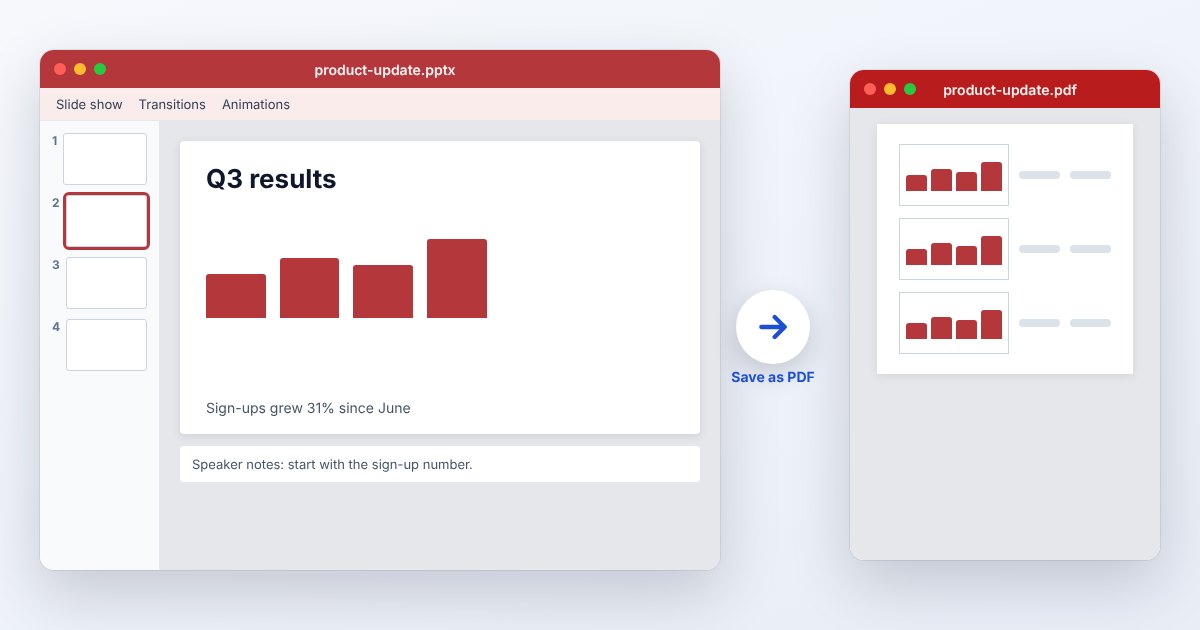
Make a PDF when distributing a handout or an archive of visible slides. The PDF export records a static rendition; it does not preserve PowerPoint animation playback or interactive slide builds as a slide show. Choose slides, notes or handouts deliberately in export options, and check the resulting page count and ordering.
If timing, narration or movement matters, a video export may communicate more than a PDF. Keep the PPTX for future editing because a video flattens the presentation into frames and audio. When delivering a deck, embedding permitted fonts can reduce substitutions, but font licensing can prevent embedding and not every playback environment supports every presentation feature.
Three common problems and fixes
PowerPoint: “Presentation cannot be opened”
A Windows download may be blocked. For a file you have verified with its sender, right-click it in File Explorer, open Properties, and use Unblock if that control appears. Do not apply this to an unexpected or untrusted attachment.
PowerPoint: “Some of your fonts can’t be saved with the presentation”
The font may prohibit embedding or use an unsupported font type. Replace it with a suitable embeddable font, or use a PDF when editing is unnecessary. Merely checking Embed fonts cannot override the font's embedding permissions.
A video does not play during the slide show
The deck may refer to an unavailable linked file or use media unsupported by that environment. Test in the target PowerPoint version, obtain the missing media from the author, or export a presentation video from the working source machine.
.pptx and related formats
| Format | Useful for | Main tradeoff |
|---|---|---|
| PPTX | Editable slide decks and live playback | Fonts and media need checking |
| Static handouts and printing | No slide animation sequence | |
| MP4 | Narrated or timed playback | Slide objects are no longer editable |
Frequently asked questions
Can I open PPTX without PowerPoint?
Keynote and Google Slides provide import or compatible editing workflows. Check the actual slides and playback because accepting the file does not guarantee identical effects or media behavior.
Will PDF export include my animations?
It creates static pages. If the order in which objects appear is essential to understanding the slide, prepare separate static slides or provide a video recording instead.
Why do my fonts look different on another computer?
The destination may substitute a font it cannot find. Embed an eligible font or choose a shared font, then reopen the saved deck on the target computer to verify wrapping.
Is PPTX a slideshow that opens automatically?
PPTX is the presentation-editing format. PPSX is PowerPoint's slide-show format. The receiving application still determines how the file is launched, especially in a browser or mail preview.