How to use Resize Image to KB
- 1Drop your images into the box, or paste a screenshot with Ctrl+V.
- 2Type your maximum size in KB, or tap one of the quick sizes. Add a minimum if the form gives a range.
- 3Choose JPG or WebP, and turn on exact pixel dimensions if the form specifies width and height.
- 4Check the size, dimensions and quality shown for each result, then download the file or a ZIP of all of them.
How the tool hits an exact size
JPG and WebP files have a quality setting, and file size goes down as quality goes down. The tool runs a binary search on that setting: it tries the highest quality, checks the bytes, then halves the range again and again until it finds the highest quality whose file is still under your target. That takes about eight test encodes.
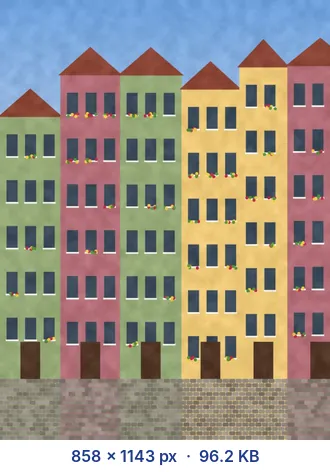
If the image would need heavy compression at its original pixel size, it is scaled down instead. A small test encode estimates how many pixels fit at a good quality, the search runs at that size (never below 50% quality), and the size is nudged up while the result still fits at high quality. Only very small images may go below 50%; you see the final quality next to each file.
With exact pixel dimensions on, the size never changes. Only the quality moves, and if the target cannot be met even at the lowest quality, the tool tells you instead of producing a wrong size.
KB or KiB: why Safe mode exists
"50 KB" can mean 50,000 bytes or 51,200 bytes (50 x 1,024, strictly called KiB). Windows shows sizes using 1,024, macOS uses 1,000, and websites are split. In Safe mode the file is kept at or under 1,000 bytes per KB, so it passes either check. Choose 1 KB = 1,024 B only if you know the site counts that way and you want the extra few percent of quality.
A minimum size is counted the other way, at 1,024 bytes per KB, for the same reason. If a picture is naturally smaller than your minimum, the tool raises the quality and can pad the JPG with an empty comment block; viewers ignore it, so the picture is unchanged.
When to choose a bigger target
Faces and text are where heavy compression shows first. If a form allows a range, aim near the top of it. For documents with small print, give the file at least 100 to 200 KB, or crop to the part that matters.
US visa photos: why there is a minimum too
The US Department of State's digital image requirements (checked October 2026) say the photo must be a square JPEG between 600 x 600 and 1200 x 1200 px, at most 240 kB, with a compression ratio of 20:1 or less. That last rule is a hidden minimum. A 600 x 600 colour image holds 1,080,000 bytes of raw pixels, so a 20:1 ratio means the file must be at least about 54,000 bytes. At 1200 x 1200 the floor rises to about 216,000 bytes, uncomfortably close to the 240 kB cap.
The safe recipe here: exact dimensions 600 x 600, maximum 240, minimum 55. In our test a plain-background portrait at 600 x 600 came out at 63,920 bytes at quality 95% without any minimum, so it passed both rules; a minimum of 55 just guarantees it.
Any target, measured on one 8-megapixel photo
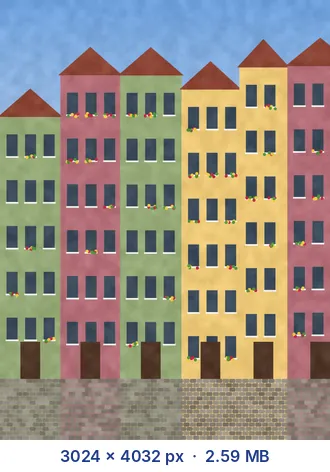
To show how the tool trades pixels for quality, we sent one iPhone photo (3264 x 2448, 1.9 MB) through several targets with no fixed dimensions:
| Target | Result |
|---|---|
| 10 KB | 233 x 175 px, quality 61% |
| 30 KB | 404 x 303 px, quality 74% |
| 100 KB | 737 x 553 px, quality 81% |
| 500 KB | 1977 x 1483 px, quality 83% |
The pattern holds for most photos: quality stays in the 60 to 85% range and the pixel size does the work. If you need the picture larger at a small target, set the dimensions yourself and accept a lower quality, or raise the target.
Reading a form's size rule correctly
- "Less than 50 KB" or "maximum 50 KB": enter 50 as the maximum. Safe mode keeps it at or under 50,000 bytes.
- "Between 20 and 50 KB": maximum 50, minimum 20.
- "Up to 0.5 MB": enter 500. Some sites mean 524,288 bytes, but 500,000 passes either way.
- "Maximum 2 MB": enter 1900. It clears both readings of 2 MB with room for form overhead; why a 2 MB limit can reject a smaller-looking file explains the margin.
- A compression ratio, DPI or "at least N pixels": these are not KB rules. Convert them as in the US visa example, or set exact dimensions.
Frequently asked questions
Can I set any size, like 75 KB or 30 KB?
Yes. Type any number, including decimals such as 2.5. The quick chips are only shortcuts for common limits.
Why can't the tool reach my target?
This only happens when exact pixel dimensions are on and the target is very small for that size. Choose smaller dimensions or raise the target; without fixed dimensions the tool can always shrink the image to fit.
Does resizing to a KB size change the width and height?
Only if quality alone isn't enough. The tool keeps the full resolution when it fits at a reasonable quality, and otherwise picks the largest size that fits at good quality. The result always lists the final dimensions.
Is the result exactly the target size?
It is just under it, usually within a few percent, because the tool picks the highest quality that fits. With a minimum set, the file lands between your minimum and maximum.
Which formats can I use?
You can drop JPG, PNG, WebP, GIF, BMP and iPhone HEIC images. Output is JPG or WebP, because only lossy formats can be tuned to an exact file size.
Are my images uploaded?
No. All of the work happens in your browser, and your files never leave your device.
What does a 20:1 compression ratio mean for my file size?
Divide the raw pixel data (width x height x 3 bytes) by 20 to get the smallest allowed file. For 600 x 600 px that is about 54,000 bytes, so enter 55 as the minimum and the file cannot fall below it.
I need exactly 30 KB, not just under it. Can the tool do that?
Set a minimum close to the maximum, for example 29 and 30. The tool lands between them, padding the JPG with an empty comment block if the picture itself is too small.
Why did my image get smaller in pixels?
At small targets keeping the full size would push quality very low. The tool shrinks the image to the largest size that still fits at a decent quality and lists the final dimensions. Turn on exact pixel dimensions to stop it.