A4 Paper Size in Pixels and US Letter Compared
By the UtilityNest team · · 4 min read
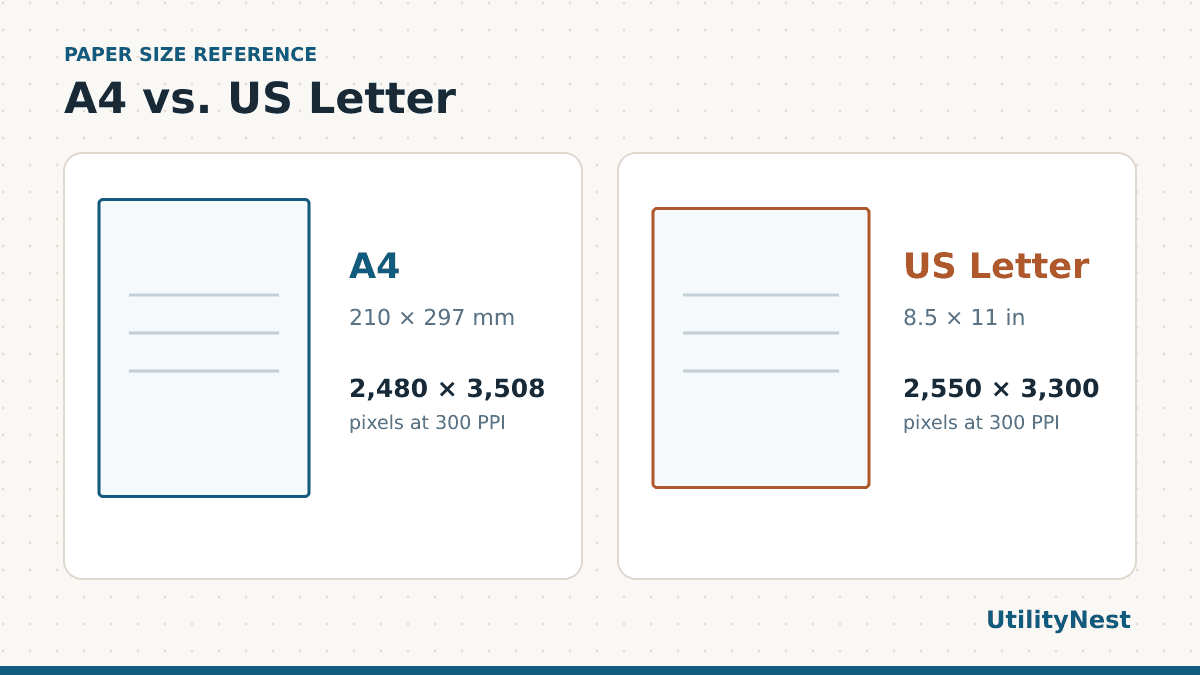
A4 is 2,480 × 3,508 pixels at 300 DPI. The sheet itself is 210 × 297 mm, or about 8.27 × 11.69 inches. US Letter is 8.5 × 11 inches, so it is a little wider and noticeably shorter. That difference matters when a PDF made in one country gets printed on paper from another.
| Resolution | A4 | US Letter |
|---|---|---|
| 96 PPI | 794 × 1,123 px | 816 × 1,056 px |
| 150 PPI | 1,240 × 1,754 px | 1,275 × 1,650 px |
| 300 PPI | 2,480 × 3,508 px | 2,550 × 3,300 px |
| 600 PPI | 4,961 × 7,016 px | 5,100 × 6,600 px |
When the pixel dimensions matter
Use the table when you are setting up an image canvas or exporting a page as a JPG or PNG. Multiply the page dimension in inches by your target pixels per inch. For millimeters, divide by 25.4 first. A4 width at 300 PPI works out to 210 ÷ 25.4 × 300, or 2,480 pixels after rounding. For landscape, swap the two numbers.
A PDF with text and vector graphics has a page size and can be drawn at many resolutions. If you are creating one in a word processor, select A4 or Letter in the page settings and export directly to PDF. Exporting a screenshot at a higher pixel count cannot recover detail the original screenshot lacked. The resolution you choose for an image is separate from the dots per inch a printer uses to lay down ink.
Check the page size before you send it
Open the PDF in a viewer that shows document properties and look for the page dimensions. If the file has multiple pages, check a representative page from each source. A cover exported from a design app and a form scanned on an office machine may have different sizes inside the same file. For artwork with bleed, ask the print shop for its export settings. The A4 numbers here describe the finished sheet and leave out any extra image area needed for trimming.
What happens when you print on the other size
A4 is 5.9 mm narrower and 17.6 mm taller than US Letter. An A4 PDF printed on Letter at actual size can lose material near the top and bottom. A Letter PDF printed on A4 can lose material near the sides. The printer’s unprintable margins may reduce the usable area further, even when the file and the tray use the same size.
In Acrobat, Fit scales the page to the printable area. Use it for a handout whose text and illustrations all need to remain visible. Actual size keeps the original measurements and can crop parts that extend past the printable area. Use it for a ruler, pattern or label sheet, with the matching paper loaded. Acrobat also offers Shrink oversized pages when you want large pages reduced and smaller pages kept at their original scale.
In a digital test, we converted the A4 reference sheet below to US Letter twice with the PDF Page Size Converter. With Fit and no added margin, the outer frame stayed inside the page, but the 100 mm ruler became about 94 mm. With Keep size, the ruler kept its length and the frame extended beyond the top and bottom. Going the other way, Fit reduced the 100 mm bar to about 97 mm on A4. Keep size held it at 100 mm while the left and right sides of the frame fell outside the page. We measured the exported PDFs. A print driver may scale them again or clip more of their edges.
Download an actual-size test sheet
- Open the PDF that matches the paper in your tray. Pick that paper size in the print dialog too.
- Select Actual size or set the scale to 100%. Keep the layout at one page per sheet.
- Print one sheet. Measure from the center of the first long tick to the center of the last. The metric bar should measure 100 mm and the inch bar should measure four inches.
- If both bars came out short, check the driver’s paper and scaling settings. If the bars are right and only the thin outside frame is missing, that points to clipping near the page edges.
You can reuse the test after changing printers, drivers or paper trays. If you are checking a PDF someone sent you, first match the print test to the actual paper in your printer. Then choose the right scaling option for the document itself.
When to resize the PDF itself
Change the file when a portal checks the PDF page dimensions or when you need to send a correctly sized handout to someone else. A print dialog setting only affects your print job. For a grid that needs to retain exact measurements, download the matching edition of the printable graph paper. Open the converted PDF and inspect any footnotes, page numbers and signatures close to the edges before sending it.