Free Printable Graph Paper in A4 and US Letter
By the UtilityNest team · · 4 min read
Download free printable graph paper in A4 or US Letter. The PDFs use evenly spaced square grids, with 5 mm, 1 cm and ¼-inch options. Pick your paper size first, then print one copy at 100% or Actual size before making a stack.
Preview and download the graph paper PDFs. Every size and spacing is on one page, with a preview of the sheet before you download. The pages carry no logo or footer.
Pick the spacing for what you are drawing
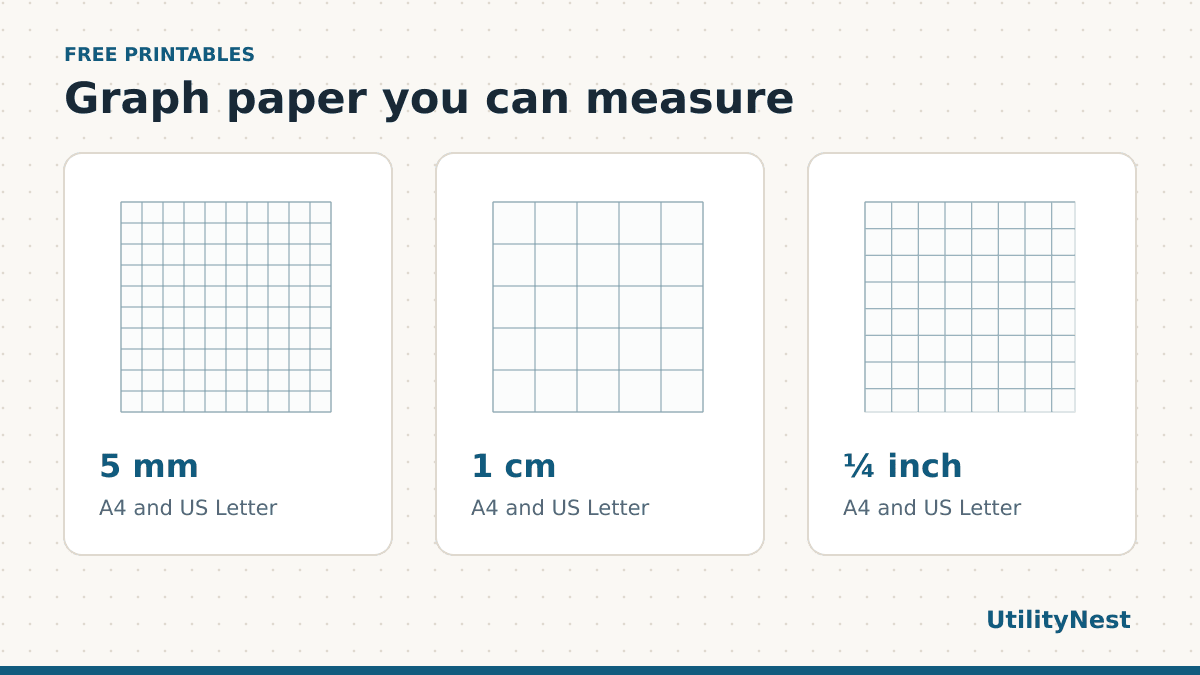
5 mm gives you 20 squares across 10 cm. That is a good starting point for plotting, small sketches and writing numbers in columns. For a chart that needs a title and long axis labels, leave a few rows and columns around the drawing so the labels stay separate from the values.
1 cm gives you larger cells for handwriting, early math, and diagrams with short labels inside the squares. It also makes scale easy to teach. If each square represents one meter in a room sketch, count the squares when laying out the walls and write the scale next to the drawing. Leave space for the door swing and any notes beyond the outline.
¼ inch gives you four squares per inch. It works well when your ruler or the instructions for a craft use inches. The spacing is 6.35 mm, so exchanging it for 5 mm changes the size of your drawing. You can download the quarter-inch grid on A4, or the metric grids on US Letter. The page size and the square size are independent choices.
Use the low-ink 5 mm edition when you want the grid to sit behind your pen or pencil marks. The lines are thinner and lighter. If you plan to photocopy or scan completed pages, try a single standard sheet as well. Fine gray lines may fade further when a copier makes the background brighter.
Print one sheet and measure several squares
- Open the PDF that matches the tray. Set the same paper size in the print dialog.
- Choose Actual size or set the scale to 100%. Use portrait and one page per sheet. A multiple-pages-per-sheet option reduces the grid.
- Take a ruler and measure from the center of one grid line to the center of another. Ten 5 mm squares should span 50 mm. Ten 1 cm squares should span 10 cm. Four quarter-inch squares should span one inch.
- If the printed measurements differ, recheck the paper and scaling settings before making copies. The A4 and US Letter print guide has a separate calibration sheet if you want to isolate the problem.
Measuring several squares helps because the width of a single printed line can make one small measurement look slightly off. Count the spaces between grid lines. From the first grid line through the fifth there are four spaces, which is one inch on the quarter-inch sheet. For a scale drawing, measure once across and once down. A useful habit in a classroom is to check the first copy from each printer before handing the sheets out.
Three ways to use the same grid
For a class graph, use the same spacing across all copies and write the units on each axis before plotting. Choose how much each square represents based on the data range. For a rough furniture plan, mark the walls first and leave space outside the plan for dimensions. For a craft layout, start at an intersection and count along both directions before cutting. Use a pen for the final outline if pencil blends into the grid.
The download leaves a border around the grid for notes or for holding the page. If you tape two sheets together, line up the grid intersections before taping. The page borders add a gap, so trim or overlap the sheets as needed for your project. Measure across the seam after joining them.
What was verified in the downloads
Each PDF was reopened and checked against its stated page dimensions and vector grid coordinates. Both versions of the 5 mm grid use the same spacing. The grid begins at least 13 mm from the left and right edges. This keeps the working grid away from the paper edge, while the printable area still depends on your printer.
Keep a clean copy of the original PDF. If you need graph paper inside a packet, use Merge PDF to combine the files and keep an eye on the page sizes. A packet with A4 and Letter mixed together can trigger automatic scaling when printed as a batch. Match the graph paper to the rest of the packet, or print those pages separately at actual size when measurements matter.